How To Stay Safe From Hackers?
Hackers are not a distant threat that only targets governments and giant corporations. Most attacks today are automated, opportunistic, and aimed at ordinary people: your email account, your saved payment cards, your cloud photos, your home Wi-Fi. The good news is that the vast majority of successful hacks exploit a handful of well-known weaknesses - and every one of them is something you can fix in an afternoon.
This guide covers how hackers actually get in, the habits and tools that keep them out, and what to do if you suspect you have already been compromised.
How Hackers Actually Get In
Forget the movie image of someone “cracking” your computer with green text scrolling down a screen. Real-world attacks usually come through one of these doors:
- Phishing. A convincing email, text message, or DM tricks you into typing your password on a fake login page, or into opening a malicious attachment. Phishing remains the single most common way accounts get taken over.
- Reused passwords. When any website you have ever registered on gets breached, criminals take the leaked email-and-password combinations and try them everywhere else - your inbox, your bank, your social media. If you reuse passwords, one breach anywhere becomes a breach everywhere.
- Unpatched software. Outdated operating systems, browsers, and router firmware contain publicly documented security holes. Automated scanners search the internet for devices that haven't been updated.
- Unsecured networks. On an open public Wi-Fi hotspot, or a rogue hotspot set up to look like one, an attacker on the same network can intercept unencrypted traffic or redirect you to fake sites.
- Malware. Trojans hidden in pirated software, fake "codec" downloads, or malicious ads can log your keystrokes, steal saved credentials, or hold your files for ransom.
How To Lock Hackers Out
You do not need to be a security expert. These measures block the overwhelming majority of attacks:
1. Fix your passwords once and for all
Use a password manager to generate a long, unique password for every account. You only need to remember one master password. Then turn on two-factor authentication (2FA) for your email, banking, and social accounts - an authenticator app is stronger than SMS codes. With 2FA enabled, a stolen password alone is no longer enough to get in.
2. Keep everything updated
Enable automatic updates on your operating system, browser, and phone. Do not forget the devices you never think about: your router, smart TV, and other connected gadgets all run software with vulnerabilities of their own. Log in to your router occasionally, install firmware updates, and change the default admin password if you never have.
3. Treat every unexpected message as suspect
Never log in through a link in an email or text - type the site address yourself or use a bookmark. Check the sender’s real address, not just the display name. Legitimate companies do not pressure you to “verify your account within 24 hours” or pay in gift cards.
4. Encrypt your connection with a VPN
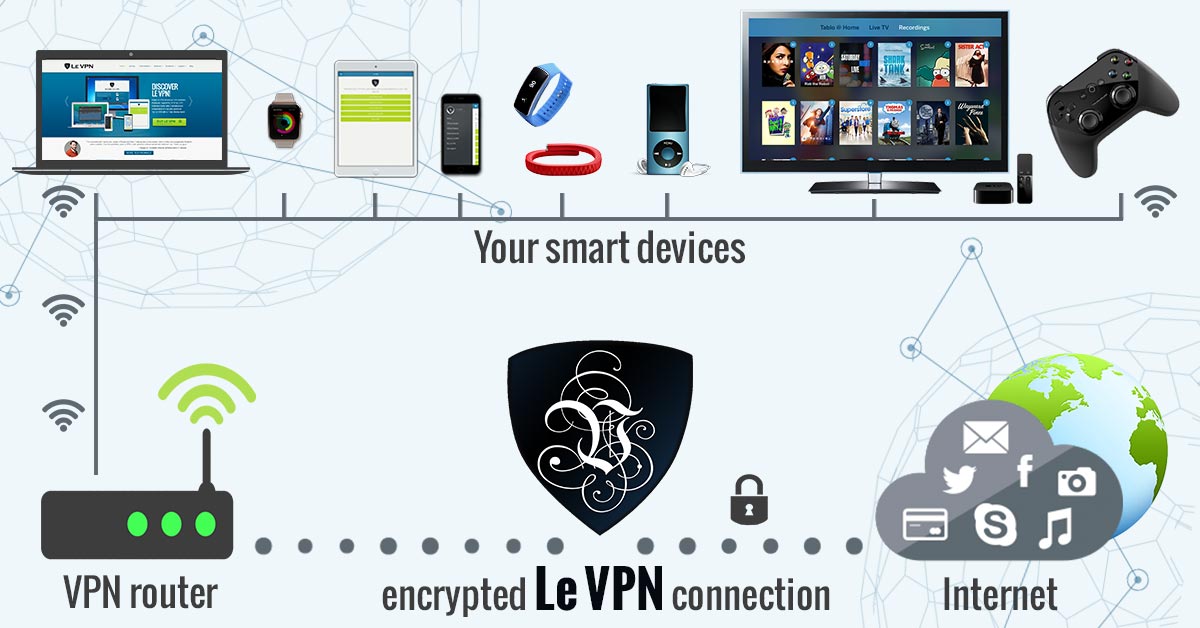
A VPN (virtual private network) wraps all your internet traffic in strong encryption before it leaves your device, then routes it through a secure server. On public Wi-Fi - airports, hotels, cafés - this makes interception useless: anyone snooping on the network sees only scrambled data. A VPN also hides your real IP address, which makes it harder for attackers and trackers to profile you or target your home connection.
Le VPN secures your traffic with modern protocols including OpenVPN and WireGuard, offers servers in 100+ locations worldwide, and lets you protect up to 10 devices simultaneously on one account - your laptop, phone, and tablet all at once. You can verify that your real IP address is hidden using the IP test page.
What To Do If You Think You've Been Hacked
If an account starts sending messages you didn’t write, you get password-reset emails you didn’t request, or you’re locked out entirely, act quickly:
- Change the password immediately - from a device you trust, not the possibly infected one. Start with your primary email account, since it can reset everything else.
- Enable 2FA on the recovered account and sign out all other sessions/devices from the account's security settings.
- Run a full malware scan on your computer and check your browser for extensions you don't recognize.
- Check for damage: review sent messages, bank and card statements, and connected apps. If financial details were exposed, notify your bank and watch for fraudulent charges.
- Assess your whole network. If one device on your home network was compromised, check the others, and reboot and update your router. Malware on one machine sometimes tries to spread locally.
- Warn your contacts if the attacker could have messaged them pretending to be you - that's how phishing chains spread.
Finally, learn from the incident: if you were hacked, something in your setup wasn’t strong enough. Upgrade it so the same trick doesn’t work twice.
Make Security A Habit, Not A Panic
Staying safe from hackers is not about a single product - it’s a layered routine: unique passwords, 2FA, updates, skepticism toward unexpected messages, and an encrypted connection wherever you go. Each layer makes you dramatically less attractive to attackers, who overwhelmingly go after the easiest targets.
Le VPN handles the encryption layer for you across all your devices, and every new subscription comes with a 30-day money-back guarantee on your first purchase, so you can put it to the test risk-free.
About the author
Le VPN Blog Contributor
Shalini Nagaonkar is a longtime contributor to the Le VPN blog, writing on cyber security, digital privacy, and how to stay safe online. Her articles cover everything from practical VPN use cases to the latest developments in online security.
Articles by Shalini Nagaonkar →
