Why You Need The Best Android VPN For Your Smartphone
Your Android phone is the most personal computer you own. It holds your banking apps, your email, your photos, your saved passwords, and a running log of everywhere you go. It also connects to dozens of networks you don’t control - airport Wi-Fi, hotel hotspots, café routers, mobile networks abroad. Every one of those connections is a chance for someone to watch, intercept, or manipulate your traffic. That is exactly the problem a VPN solves, and it’s why the best Android VPN belongs on your phone before almost any other app.
What A VPN Actually Does For Your Android Phone
A virtual private network wraps all of your phone’s internet traffic in an encrypted tunnel between your device and a VPN server. Once the tunnel is up, three things change immediately:
- Nobody on the local network can read your traffic. On public Wi-Fi, an attacker sitting on the same router can normally see which sites you visit and, in some cases, tamper with what you download. With a VPN, all they see is encrypted noise.
- Your real IP address is hidden. Websites, apps, and advertisers see the VPN server's address instead of yours, which makes it far harder to tie your browsing to your identity and location.
- Your virtual location becomes a choice. Connect to a server in another country and the internet treats you as if you were there - useful for reaching services from your home country while travelling, or for getting around local blocks on sites and apps.
Phones need this protection even more than laptops do. A phone hops between networks all day, often connecting automatically to Wi-Fi it has seen before, and mobile apps constantly sync data in the background - with or without your attention. An always-on VPN closes that gap.
The Real Threats On Mobile
Mobile-specific attacks are not hypothetical. Fake hotspots with trustworthy-sounding names (“Airport_Free_WiFi”) harvest logins from anyone who connects. Phishing links arrive by SMS and messaging apps, not just email. And even on legitimate networks, your internet provider can log and sell a profile of your browsing. Encryption at the connection level - which is what a VPN provides - is the single most effective habit against this whole class of problems.
What Makes The Best Android VPN
Not every VPN app deserves your traffic. “Free” VPNs are the worst offenders: running servers costs real money, so free providers typically pay the bills with your data - injecting ads, logging your activity, or selling your bandwidth. When you choose an Android VPN, look for:
- Modern protocols. WireGuard is today's benchmark for speed and security on mobile. OpenVPN remains a reliable, widely audited fallback. If you travel to countries that actively block VPNs, you also want an obfuscated option that can slip past deep packet inspection.
- A wide server network, so there's always a fast server near you and one in any country whose content you need.
- Multi-device support, because your phone is rarely your only device.
- A real company behind it, with support, transparent pricing, and a money-back guarantee - not an anonymous free app.
Le VPN For Android
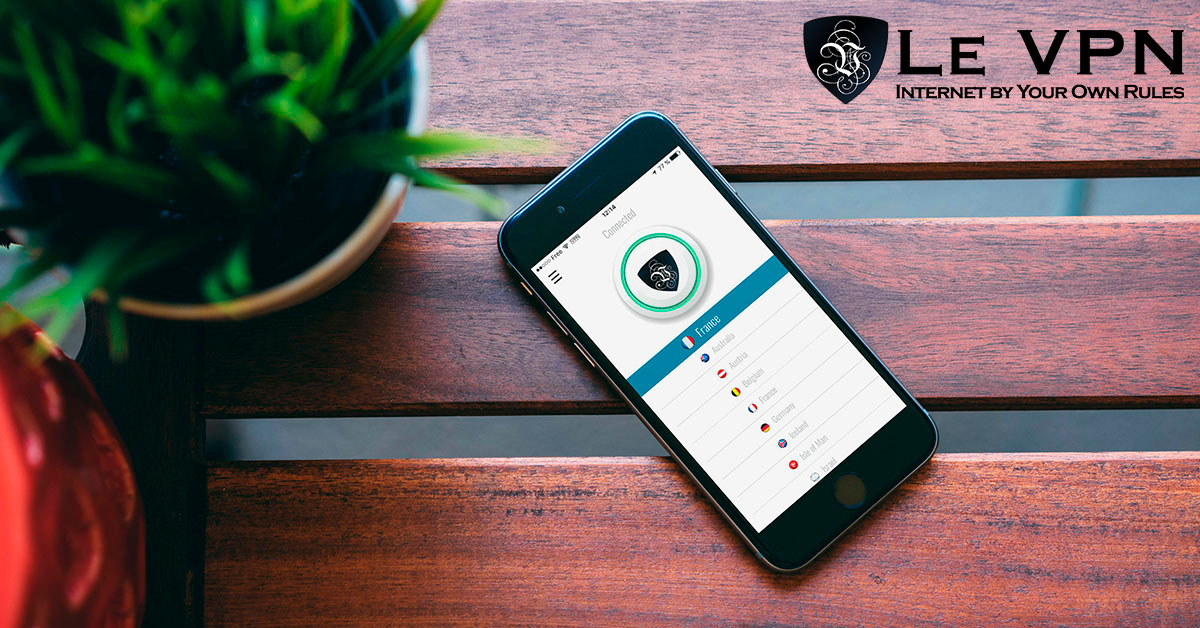
The Le VPN Android app is built around exactly those requirements. You download it from Google Play, log in with your VPN credentials, pick a country, and tap Connect - that’s the whole workflow.
Under the hood you get a choice of three protocols: OpenVPN (with selectable ports, handy on restrictive networks), WireGuard for the best speed on mobile, and Stealth WireGuard, an obfuscated protocol designed to keep you connected even in heavily censored countries where standard VPN traffic gets blocked. Because WireGuard and Stealth WireGuard block traffic automatically if the tunnel drops, you effectively get kill-switch protection at the protocol level.
The app also goes beyond the tunnel itself. Threat Protection blocks known malicious and phishing domains at the DNS level, Breach Detection warns you if your email address shows up in leaked credential databases, and an “Allow local connections” option lets Chromecast and other home-network devices keep working while you’re protected. The app is translated into 13 languages and runs on Android TV as well as phones and tablets.
Every Le VPN subscription includes servers in 100+ locations across the Americas, Europe, the Middle East, Asia-Pacific and Africa, and up to 10 simultaneous connections - so the same account protects your phone, laptop, tablet and more at the same time. Plans are backed by a 30-day money-back guarantee on your first purchase, so you can test it on your own networks risk-free.
Getting Started Takes Two Minutes
- Pick a plan on the Le VPN subscription page.
- Install the Le VPN app from Google Play and sign in with the VPN credentials from your activation email.
- Choose a server - a nearby one for speed, or a specific country for the content you want - and tap Connect.
- Verify it's working on the test your IP page: your location should now show the server's country.
Your smartphone goes everywhere with you, and it deserves protection that does the same. With the best Android VPN running quietly in the background, every network becomes a safe network.
About the author
Le VPN Blog Contributor
Shalini Nagaonkar is a longtime contributor to the Le VPN blog, writing on cyber security, digital privacy, and how to stay safe online. Her articles cover everything from practical VPN use cases to the latest developments in online security.
Articles by Shalini Nagaonkar →
