Here’s Why You Need The Best VPN For Android
Your Android phone keeps you connected wherever you go - email at the airport, banking from a hotel room, streaming on the train, social media everywhere in between. What’s easy to forget is that every one of those connections happens over networks you don’t control, and each one exposes your data and your location. The fix is simple and runs quietly in the background: the best VPN for Android encrypts everything your phone sends and receives, on every network, all the time.
What The Best VPN For Android Does For You
A VPN (virtual private network) creates an encrypted tunnel between your phone and a secure server, and routes all your internet traffic through it. In practice, that gives you four things:
- Safety on public Wi-Fi. Café, hotel and airport hotspots are the easiest places for attackers to intercept traffic or set up fake networks that harvest logins. Inside a VPN tunnel, your data is unreadable to anyone else on the network.
- Privacy from trackers and ISPs. With your real IP address hidden, websites, apps and advertisers can't tie your browsing to your identity or location, and your mobile carrier can't build a profile of everything you do online.
- Freedom from geo-restrictions. Connect to a server in another country and you browse as if you were there - ideal for reaching your home country's streaming services, news and banking while travelling, or for accessing sites blocked where you are.
- A way through censorship. In countries that filter the internet or block social media, a VPN with an obfuscated protocol restores access to the open web.
Modern VPN protocols are efficient enough that you’ll rarely notice any speed difference - WireGuard in particular was designed with mobile devices in mind, reconnecting instantly as you move between Wi-Fi and mobile data.
Skip The Free Apps
Search “VPN” on Google Play and you’ll find hundreds of free options. Be careful: running a global network of servers is expensive, and free providers cover the cost with you. Independent audits of free VPN apps have repeatedly found aggressive ad injection, activity logging, data resale and outright malware. A free VPN that logs your traffic gives you less privacy than no VPN at all. A reputable paid service costs less per month than a coffee and has a business model that doesn’t depend on selling your data.
Le VPN's Android App
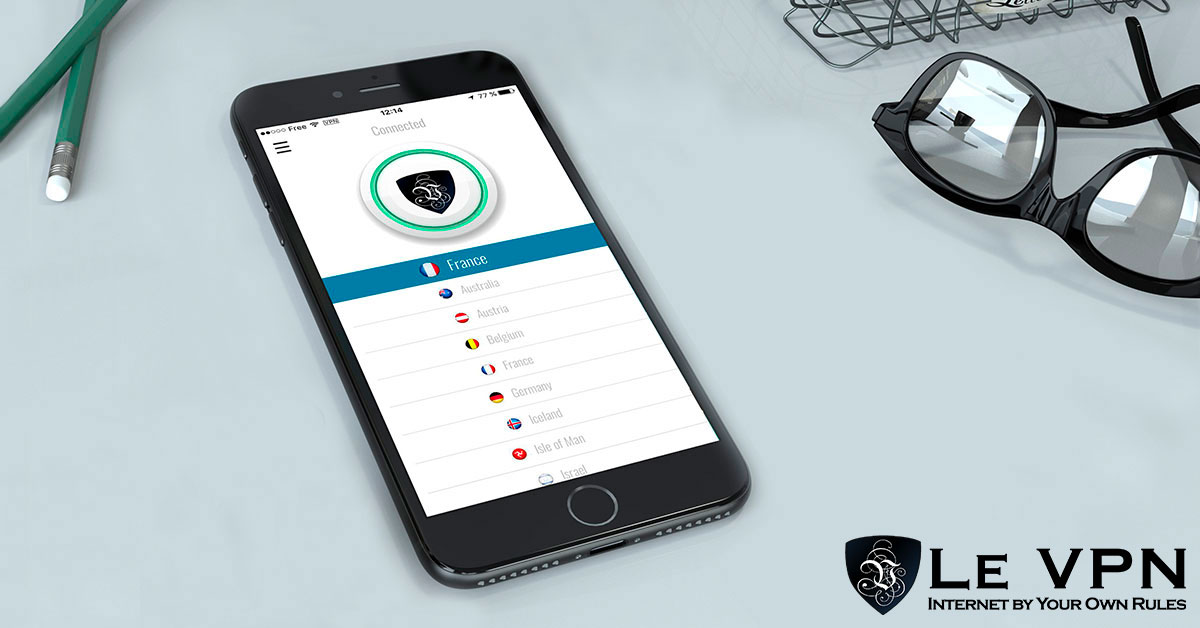
Le VPN’s Android app is a strong example of what to look for. Install it from Google Play, sign in with your VPN credentials, choose a country and tap Connect - that’s the whole process. Under the hood it offers real depth:
- Three protocols: OpenVPN (with a choice of ports for restrictive networks), WireGuard for maximum speed, and Stealth WireGuard - an obfuscated protocol that disguises VPN traffic so you can connect even in heavily censored countries.
- Built-in kill-switch behaviour: WireGuard and Stealth WireGuard automatically block traffic if the tunnel drops, so your real IP is never exposed mid-session.
- Threat Protection: DNS-level blocking of known malicious and phishing sites - a meaningful defence against the SMS and messenger phishing that targets phones.
- Breach Detection: the app warns you if your email address appears in leaked credential databases.
- Local network access: an "Allow local connections" toggle keeps Chromecast and other home devices working while the VPN is on.
- 13 languages and Android TV support, so the same app covers your phone, tablet and TV.
Every subscription includes servers in 100+ locations across the Americas, Europe, the Middle East, Asia-Pacific and Africa, plus up to 10 simultaneous connections - one account protects your phone, laptop, tablet and more at the same time.
Set It Up In Minutes
- Choose a plan on the Le VPN subscription page - every plan is covered by a 30-day money-back guarantee on your first purchase.
- Install the Le VPN app from Google Play and log in with the VPN credentials from your activation email.
- Pick a server and connect. Check the test your IP page to confirm your new virtual location.
Your phone knows more about you than any other device you own. Give it the protection it deserves - with the best VPN for Android, every network you join is a private one.
About the author
Le VPN Blog Contributor
Shalini Nagaonkar is a longtime contributor to the Le VPN blog, writing on cyber security, digital privacy, and how to stay safe online. Her articles cover everything from practical VPN use cases to the latest developments in online security.
Articles by Shalini Nagaonkar →
