What Is VPN Cascading
VPNs are by far the safest way to use the internet - so surely using two VPNs is even better? This is a must-read for anyone considering VPN tunnel cascading.
Everything You Need To Know About VPN Tunnel Cascading
If you know anything about VPNs, you’ve probably had the thought: if one VPN is good, wouldn’t two be better? VPN cascading - the official term for a “double VPN” - is exactly that: one encrypted VPN tunnel nested inside another. It’s also something of a red flag for ISPs and anyone monitoring traffic, because chaining VPNs is a favourite tactic of people with something serious to hide. Before deciding whether you need it (spoiler: you almost certainly don’t), let’s establish the basics.
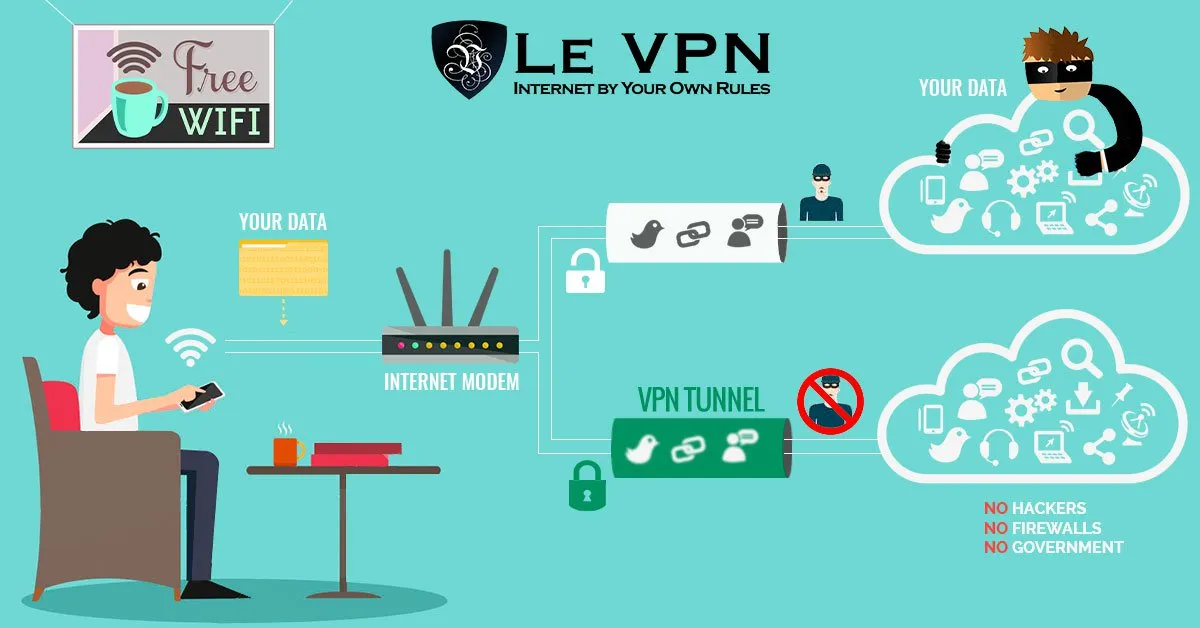
A VPN - virtual private network - lets you use the public internet as if it were your own private network. It creates a digital tunnel from your device to a dedicated server: your data is encrypted before it leaves your device, travels through the tunnel invisible to your ISP, and emerges onto the internet with a new, anonymous IP address at the server’s location.
Two pictures make the idea concrete:
- Imagine a house with a mailbox on the street. Anyone driving by can read your address and watch when mail comes and goes; the mailman (your ISP) sees every envelope and can delay or block the ones he doesn't like. That's your computer without a VPN.
- Now imagine the same house under an opaque tent, with a private tunnel from the floor straight to a post office of your choosing - and every envelope sealed inside a second, unmarked one. Nobody sees you send or receive mail, and anyone who stumbles on an envelope can't tell where it came from or read what's inside. That's a VPN.
Setting up a VPN once required real technical knowledge. Today it’s a consumer product: providers like Le VPN offer apps for every platform, servers in 100+ locations worldwide, and one-click connections for a few dollars a month. A useful habit once connected: clear your cache and cookies, so stored data from unprotected sessions can’t leak your identity - especially if your goal is avoiding geo-detection.
What A Cascade Actually Is
Cascading nests one VPN connection inside another. The setup looks like this:
Your Device => VPN1 => VPN2 => Internet
While your traffic travels the first leg, it’s wrapped in two layers of encryption; after it exits the first tunnel it continues under the protection of the second. In theory, no single VPN provider can see both who you are and where your traffic ends up.
Note that some VPN providers - Le VPN among them - do not allow cascading through their service, as it’s disproportionately associated with illicit activity, which Le VPN’s Terms of Service prohibit. For informational purposes, here is how a cascade is typically built.
How A VPN Cascade Is Set Up
Method One - two providers on one device: connect to a server from one VPN provider, then, without disconnecting, launch a second VPN client from a different provider and connect through it. Both tunnels must come from different companies (a single account generally can’t tunnel through itself), so this means paying for two subscriptions.
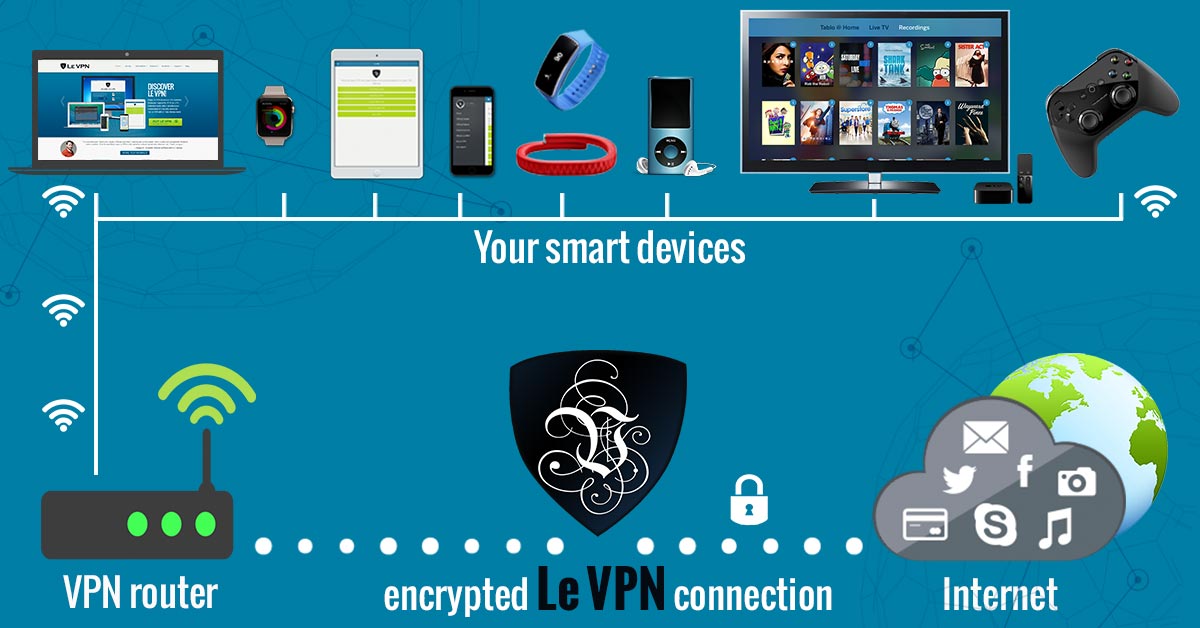
Method Two - router plus device: use a router with VPN support to encrypt your whole household’s traffic at the network level, then run a VPN app on your computer inside it. The router provides the outer tunnel, the app the inner one. Le VPN works with pre-configured router options, and this setup is the practical way families protect every device - though, again, using two nested tunnels requires two separate VPN accounts.
Method Three - two routers: nest two VPN-enabled routers, each connected to a different VPN server. Every device on the network then cascades automatically. Elegant, expensive, and slow.
VPN Protocols, They Aren't All The Same
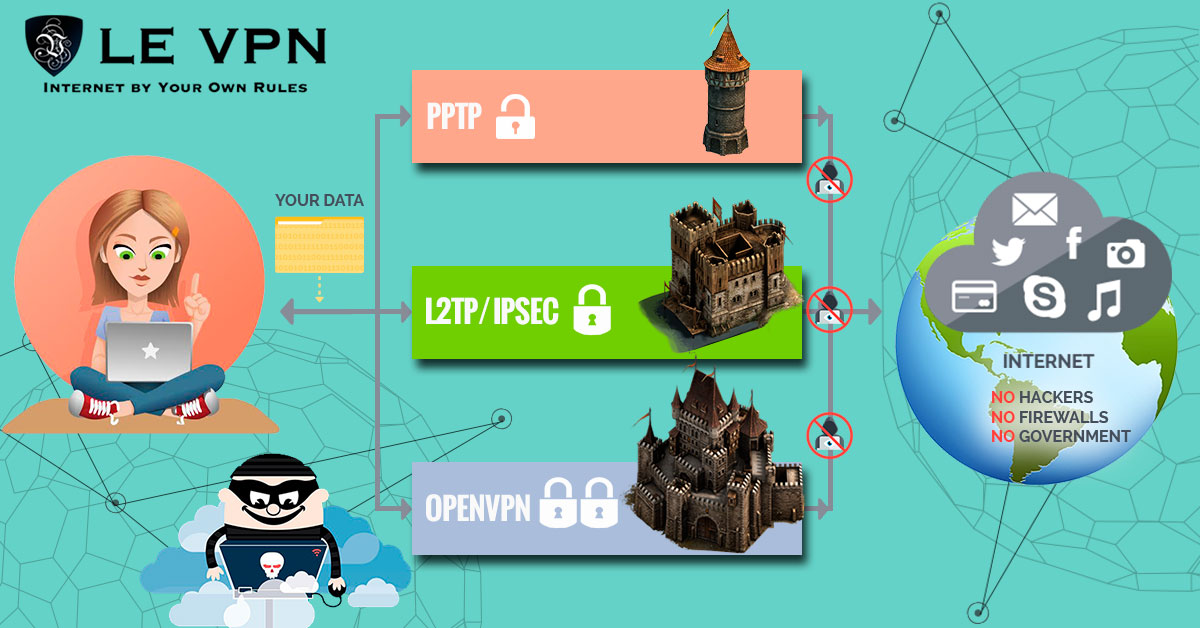
The real-world security of any tunnel - single or cascaded - comes down to the protocol. The legacy generation is worth knowing only to avoid: PPTP, the earliest consumer protocol, has known vulnerabilities and shouldn’t be used for anything sensitive, while L2TP/IPSec remains serviceable but dated. The modern line-up is different class entirely:
- OpenVPN - the open-source workhorse, heavily audited, with port options (including TCP 443) that pass through restrictive firewalls.
- WireGuard - modern cryptography with minimal overhead; the speed penalty that once made people hesitant about VPNs essentially disappears.
- Stealth WireGuard - WireGuard wrapped in obfuscation, designed to defeat deep packet inspection in countries that actively block VPN traffic.
- IPSec/IKEv2 - a solid native option on iOS devices.
For streaming specifically, Le VPN also offers HybridVPN, which combines the VPN tunnel with SmartDNS to unlock geo-restricted media at full speed.
Should You Be Using A VPN Cascade?
Our honest answer: no. A single connection over a modern, well-implemented protocol already gives you strong encryption, a masked IP address, and privacy from your ISP - the double tunnel adds double latency, configuration headaches, and a traffic pattern that makes providers and ISPs suspicious, while providing almost no practical security gain for a normal user. One AES-256-class encrypted tunnel is not the weak point in anyone’s security; passwords, phishing, and unpatched software are.
What you actually want is one excellent VPN: Le VPN gives you servers in 100+ locations, up to 10 simultaneous connections so all your devices are covered (or a router setup that protects the whole home on a single account), and modern protocols from WireGuard to Stealth WireGuard. The internet is full of genuine dangers - malware, leaks, snooping on public Wi-Fi - and the reliable, simple defence is cheap and takes minutes to set up. Get Le VPN, backed by a 30-day money-back guarantee on your first purchase, before it’s too late.
About the author

Guest Author
Vuk Mujović is the founder of MacTíre Consulting, an analyst, data management expert, and a long-term writer on all things business & tech. He authored blogs, articles, and opinion pieces aimed to help both companies and individuals achieve growth without compromising their security.
Articles by Vuk Mujović →
