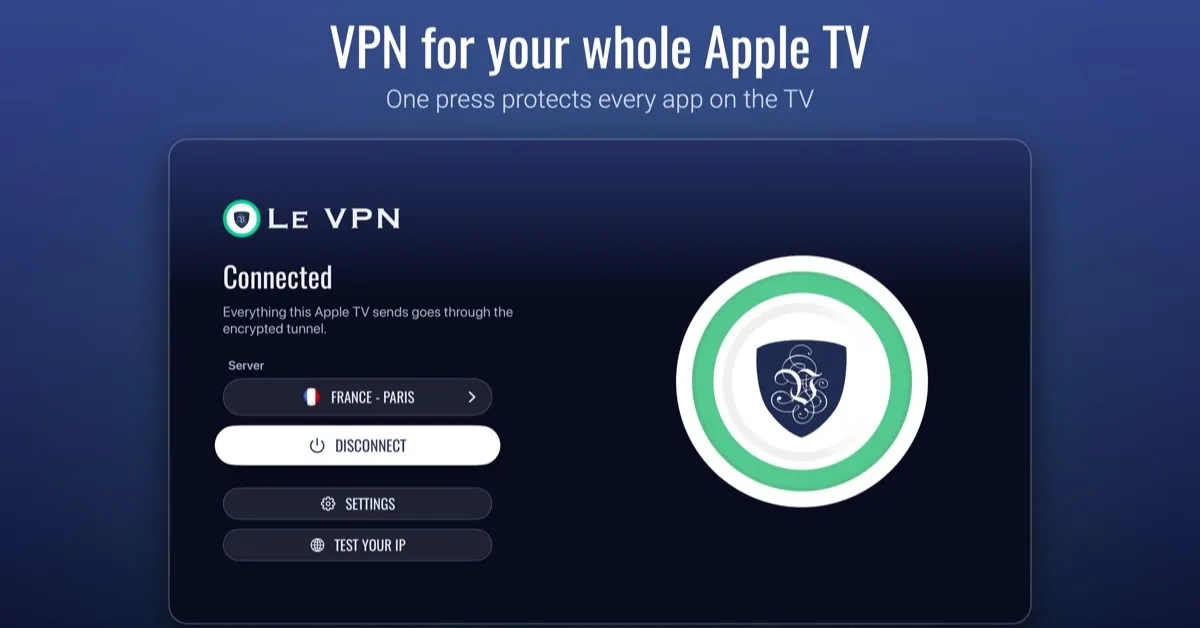
Le VPN is now on Apple TV: one press on the remote puts every app on the TV behind the VPN
Le VPN now has a native app for Apple TV. Open it, press Connect on the Siri Remote, and every app on the TV goes through the VPN: the streaming apps, the games, the App Store, the lot. The app is live now in the same App Store listing as the iPhone app, so if you already have Le VPN on your phone, the TV app is part of what you bought.
For nine years our advice to Apple TV owners was a workaround. In 2017 we published a guide with three ways to put an Apple TV behind a VPN, and all three routed around the same wall: a laptop sharing its Wi-Fi, a router running the VPN for the whole house, or an Ethernet cable from a computer. Apple TV could not run a VPN app, so the tunnel had to live somewhere else. That guide is now historical. This post explains what the app does, why it took until now, and what you should know before you press Connect.
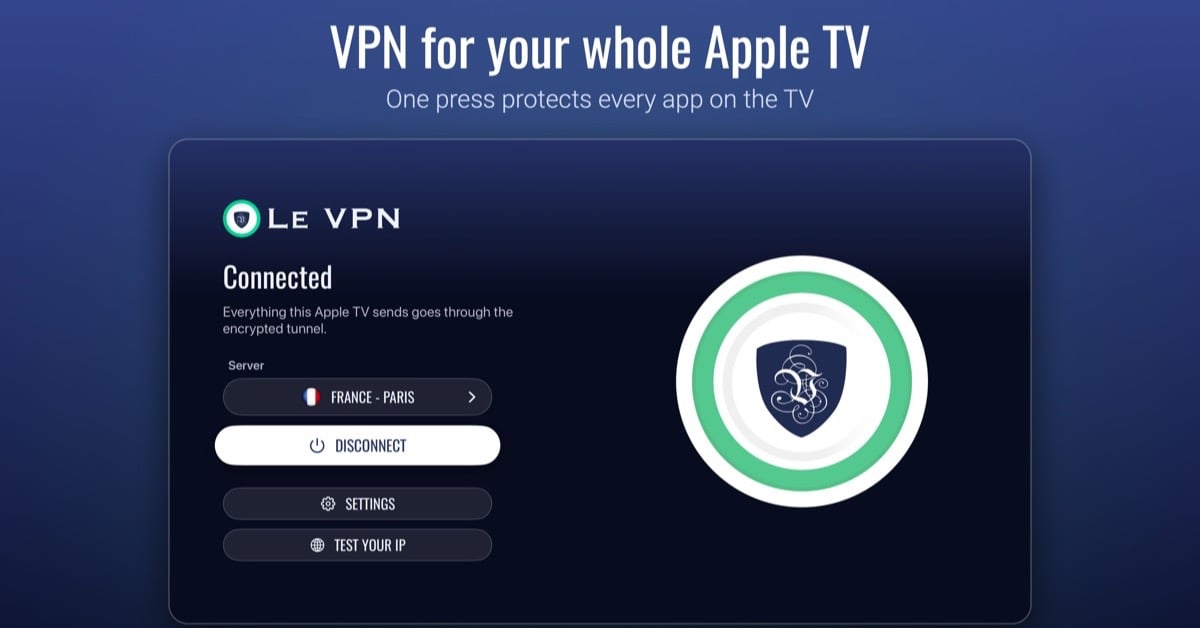
What does the Le VPN Apple TV app actually do?
The app is built for a remote, not a mouse, which is a good discipline. There are four things on the main screen: the server, a Connect button, Settings and Test your IP. Pick a server, press Connect, accept the one-time system prompt that asks to add a VPN configuration, and the status line goes from “Connecting…” to “Connected”. Under the hood it works like this.
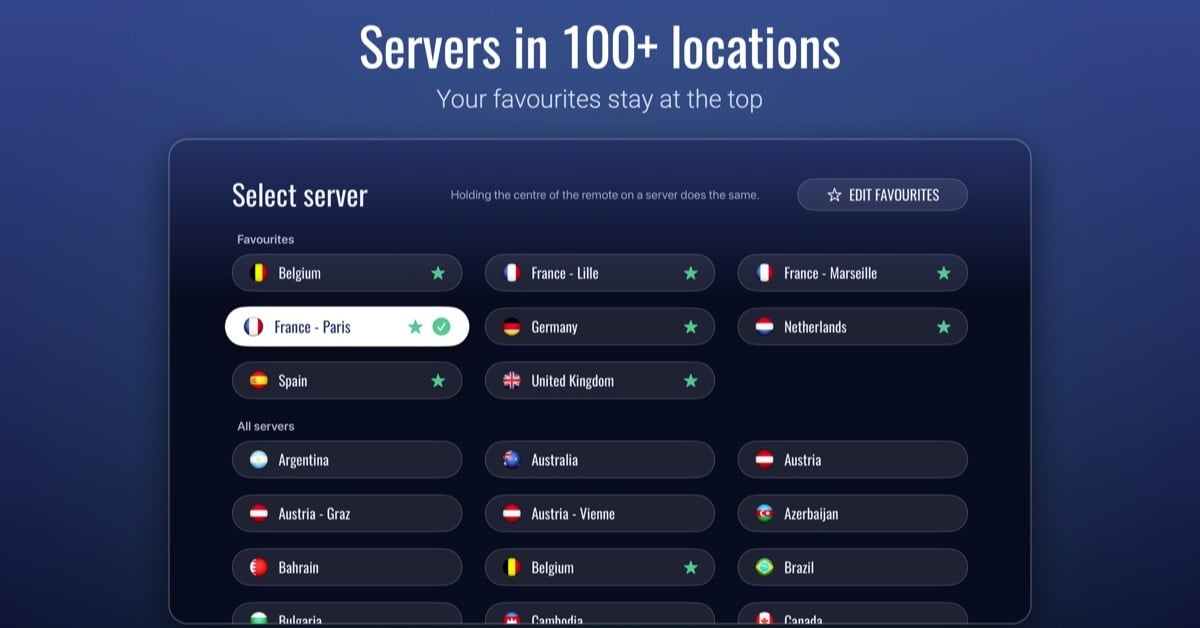
- Servers in 100+ locations. The list is a grid of countries and cities with flags. Mark the ones you use as favourites and they sit in their own section at the top. On first launch the app asks our network for suggestions based on where you are, so a viewer in France starts with Paris and a handful of nearby servers already pinned.
- WireGuard, with a Stealth mode. The TV app connects over WireGuard. WireGuard Stealth wraps the same tunnel in traffic that does not look like a VPN, for hotel, campus and country networks that block or slow down VPN connections. You switch between the two in Settings; the choice applies to the next connection.
- Test your IP. Apple TV has no web browser, so there is no "what is my IP" page to open. The app carries its own check: the address the TV is using, its location, the provider, and whether Le VPN sees you as protected. Press Check again after you change server.
- Threat Protection. When it is on, the tunnel resolves names through a filtering DNS resolver that refuses known malicious domains, the same Threat Protection the phone and desktop apps offer. Off by default.
- Bypass VPN for local networks. Keeps devices on your home network reachable while the VPN is up, AirPlay senders included. Also off by default. Turn it on if a home device stops responding after you connect.
- Light and dark themes, 15 languages. The app follows the appearance setting of the Apple TV, and speaks the same languages as the iPhone app: English, Arabic, Czech, French, German, Italian, Japanese, Persian, Polish, Portuguese, Russian, Simplified Chinese, Spanish, Turkish and Ukrainian. Server names come translated from our API in the language of the app.
The one thing you cannot do on the TV is buy a subscription. The Create account screen shows a QR code that sends you to the App Store page on your phone. Subscribe there or on le-vpn.com, then sign in on the TV with the same username and password. Every Le VPN plan includes 10 simultaneous connections, so the TV joins the phone, the laptop and whatever else you run without any add-on.
Why did it take so long to get a VPN app on Apple TV?
Because until 2023 it was impossible, and after that it was harder than it looked.
Apple TV apps run on tvOS, and for the first eight years of the platform tvOS had no way for a third-party app to open a VPN tunnel. That changed with tvOS 17. In its June 2023 preview Apple listed third-party VPN support among the new features, framed for “enterprise and education users wanting to access content on their private networks”, and available on the Apple TV HD and every Apple TV 4K. The shipping release followed in the autumn of 2023.
Here is the part that most write-ups of “VPN comes to Apple TV” skip, and the part that cost us our first attempt. Apple’s VPN framework has two doors. The first, the one every iPhone VPN app used for a decade, is the Personal VPN API: the system runs the tunnel itself using IKEv2 or IPSec, and the app only hands it a configuration. That door needs an entitlement Apple grants per platform, and Apple’s own documentation lists it for iOS, iPadOS, macOS and visionOS. Not tvOS. The classes exist in the tvOS SDK, the code compiles and installs, and on a real Apple TV the connection fails with “permission denied”. It is a cruel way to find out. Our first attempt at a TV app, which ran from late 2023 to spring 2024, ended exactly there, because at the time the Le VPN app only spoke IKEv2 and IPSec.
The second door is the one tvOS 17 opened: a packet tunnel provider, an extension bundled inside the app that tvOS hands raw packets to, and which is responsible for encrypting and forwarding them itself. Apple’s deployment technote, TN3134, was updated for tvOS 17 in October 2023 and lists a packet tunnel provider, packaged as an app extension, as the way to ship a VPN on tvOS 17 or later. A VPN app on Apple TV is, in other words, a packet tunnel provider: a small extension that receives every packet the TV sends, encrypts it and forwards it to the VPN server, so that every app on the TV shares the tunnel without knowing it exists.
The Le VPN iPhone app gained a packet tunnel provider in July 2024 for WireGuard and its Stealth variant. The Apple TV app reuses that extension, compiled for tvOS. That is why the TV offers exactly those two protocols and not IKEv2: on tvOS there is no system tunnel to hand a configuration to, so the app has to carry its own, and ours carries WireGuard.
Which Apple TV models and tvOS versions does it need?
The App Store lists the requirement as tvOS 17.2 or later. In practice:
| Device | Runs tvOS 17.2+ | Le VPN app |
|---|---|---|
| Apple TV 4K (2017, 2021, 2022 models) | Yes | Install from the App Store on the TV |
| Apple TV HD (4th generation, 2015) | Yes | Install from the App Store on the TV |
| Apple TV (3rd generation) and older | No apps at all | Use a VPN router |
If your Apple TV is on tvOS 26 or later, the welcome screen picks up the Liquid Glass look on the models that support it. Older tvOS versions get a plain dark strip instead. Nothing about the VPN changes between them.
Which protocol should I use on the TV, WireGuard or WireGuard Stealth?
Start with plain WireGuard at home. It is the faster of the two and the one with the least overhead, which matters for a device whose whole job is pushing 4K video through a tunnel.
Switch to WireGuard Stealth when a plain connection will not establish or keeps dropping: hotel and holiday-rental Wi-Fi, campus networks, and countries where VPN traffic is blocked at the network level. Stealth uses the same servers and the same IP addresses as WireGuard, so it does not unlock anything a plain connection cannot reach. Its only job is to get the tunnel up where the network is fighting it.
One setting deserves a sentence because it does not exist on the phone in the same place. Under the protocols, Settings shows numbered circles labelled Cryptographic ID. Each account has several sets of WireGuard keys, and every device starts on number 1. Two devices connected at the same time on the same ID present the same key to the server, so give the TV a number of its own if your phone also connects. The row is hidden when the account has only one ID.
Is there any point putting a VPN on a TV?
The living-room screen is where people watch video now, and the numbers keep moving that way. Nielsen’s The Gauge, which measures how Americans split their TV time, put streaming at 48.6% of all TV viewing in May 2026, against 20.4% for cable and 19.2% for broadcast. That is up from the 47.5% Nielsen called a record in December 2025, when Christmas Day alone produced 55.1 billion minutes of streaming. And Apple TV owns a decent share of that screen. Pixalate’s Q1 2026 report, built on 18 billion connected-TV ad transactions since 2024, gave Apple TV 13% of North American connected-TV ad traffic, fourth behind Roku, Fire TV and Samsung.
So the TV carries most of a household’s video, and until now it was the one device the VPN did not cover. Three practical things change once it does.
- Your own subscriptions travel with you. An Apple TV in a holiday flat or a second home abroad can connect to a server back in your home country, so the streaming services you already pay for see the country they expect. You still need the subscription; the VPN only changes where you appear to be watching from. Our streaming guide covers which services this works for.
- Everything the TV sends is encrypted on the local network. A TV on shared Wi-Fi is one more device advertising what it watches to whoever runs the network. Behind the tunnel, the network sees one encrypted stream to one server.
- Threat Protection on the biggest screen in the house. The TV's apps and their ad networks resolve domains constantly; with Threat Protection on, requests to known malicious ones are refused at the DNS step, for every app at once.
As on every Le VPN platform, the service keeps connection logs, not activity logs.
Router, hotspot or native app: what still makes sense?
The three 2017 workarounds still work. They have just stopped being necessary for the Apple TV. Here is how they compare now.
| Method | Covers | Setup | Best for |
|---|---|---|---|
| Le VPN app on Apple TV | Every app on that Apple TV | Install, sign in, press Connect | Any Apple TV HD or 4K |
| VPN router | Every device on the router, TV included | Flash or configure the router once | Households with consoles, older TVs and smart devices that cannot run a VPN app |
| Laptop sharing Wi-Fi | Whatever joins the laptop's hotspot | Every time you want to watch | A one-off evening away from home |
| Ethernet from a computer | The one device on the cable | Cable plus sharing settings | Rarely, now |
The router keeps its place for the devices that will never get an app. For the Apple TV itself, the app is quicker to set up, easier to switch servers on, and the only option that lets you change the server or protocol from the couch.
How do I install Le VPN on Apple TV?
- Open the App Store on the Apple TV and search for Le VPN. The TV app shares its App Store listing with the iPhone app, so it is the same Le VPN you may already have on your phone.
- Open the app and sign in with your Le VPN username and password. These are the VPN credentials from your activation email, not the client-area login.
- Press Connect and accept the system prompt to add a VPN configuration. This appears once.
- Open Test your IP to confirm the address and location have changed.
Signing out disconnects the tunnel and removes the account from the TV. The version shipping now is 3.0.0, the first release of the rebuilt Le VPN apps for iPhone, iPad, Mac and Apple TV, and the TV app takes the same version numbers as the others from here on.
What the TV app does not do yet
A few gaps are worth knowing before you install. There is no purchase flow on the TV, so a new customer subscribes on the phone or the website first. IKEv2 and IPSec are not offered, for the tvOS reason explained above, so the TV is WireGuard only. The Create account screen’s QR code currently leads to the phone App Store page rather than a page built for the TV. And if you relaunch the app while the VPN is already up, the main screen can still read “Disconnected” until you reconnect, which is cosmetic rather than a dropped tunnel. If the app misbehaves on your particular Apple TV, the details that help support are the model, the tvOS version, the protocol, and what Test your IP showed. The 30-day money-back guarantee on a first purchase applies as usual. It does not cover crypto payments, and a subscription bought through the App Store is refunded by Apple rather than by us.
If you have an Apple TV HD or 4K and a Le VPN account, the app is waiting in the App Store on the TV. Press Connect once. Everything on the screen goes through the tunnel from then on.
About the author
Le VPN Apps & Product
The Le VPN Product Team builds the Le VPN apps for iPhone, iPad, Mac, Windows, Linux, Android, Apple TV, Apple Vision Pro and Fire TV. They write here when something ships: a new app, a new platform, a new feature, and now and then a note on why a thing took longer than expected. Product posts are checked against the shipping build and the app's own release notes before they are published.
Articles by Le VPN Product Team →