Threat Protection
Most attacks start with a single click on the wrong link. Le VPN's Threat Protection stops malware, phishing, and scam sites before they ever load - blocking dangerous domains at the source, so they never reach your device in the first place.
- Blocks known malware, phishing, and scam domains automatically
- Stops threats at the DNS level - before the page even loads
- Threat list updated continuously as new dangerous sites appear
- Protects every app and browser on your device, not just one
- Built into the Le VPN app - turn it on with one tap
What is Threat Protection?
Every website you open starts with a quiet lookup: your device asks a name server where to find that address. Attackers exploit exactly this step - a fake bank page, a booby-trapped download, a phishing link in an email all rely on your device happily connecting to a domain built to harm you.
Threat Protection is Le VPN's built-in security filter. It checks every one of those lookups against a continuously updated list of known malware, phishing, and fraudulent domains. If a site is flagged as dangerous, the connection is stopped before it's ever made - the malicious page simply never loads, so there's no infected file to download and no fake login form to fall for.
How Threat Protection works
When Threat Protection is on, every website request your device makes is resolved through a security-filtered name server instead of an ordinary one. Before you're sent to any site, that server checks the domain against a large, constantly refreshed database of addresses known to host malware, run phishing scams, or spread fraud.
If the domain is clean, you're connected exactly as normal - there's no slowdown and nothing to notice. If it's flagged as dangerous, the request is blocked at the source: your device never reaches the malicious server, so the harmful page can't load, the drive-by download can't start, and the fake login form never appears.
Because the filtering happens at the network level, it protects everything on your device - every browser, every app, every background process - not just one program with an extension installed. And since new malicious sites appear constantly, the threat list is updated around the clock, so protection keeps pace with the domains criminals spin up today.
Threat Protection works entirely by matching the domains you're about to visit - it doesn't inspect your content or slow you down, and Le VPN keeps no logs of the sites you browse. It's a security layer that runs quietly in the background, catching threats before they ever reach you.
One switch in the app - protection on, worry off
Threat Protection isn't a separate program or a browser add-on - it's built right into the Le VPN app. Open the menu, find Threat Protection, and switch it on to start filtering out dangerous domains across your whole device.
Once it's active, it works silently in the background - no rules to write and nothing to maintain. Prefer to turn it off for a moment? The same screen lets you disable it, and switch it back on, whenever you like.
What makes Le VPN's Threat Protection different
Blocks threats before they load
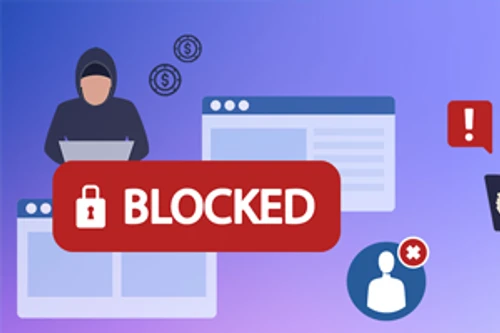
Malicious domains are stopped at the lookup stage, so the dangerous page never loads. There's no infected file to open and no fake form to fill in.
Malware, phishing & fraud
The filter covers the domains behind malware downloads, credential-stealing phishing pages, and outright scams - the sites attackers actually use.
Always-current threat list
New malicious sites appear every hour. The database powering Threat Protection is refreshed continuously, so you're guarded against fresh threats, not just old ones.
Protects your whole device
Filtering happens at the network level, so every browser, app, and background process is covered - not just one program with an extension installed.
No slowdown
Clean sites resolve exactly as fast as before. The safety check adds no meaningful delay - you get the protection without a performance hit.
Private by design
Threat Protection only matches the domains you're about to visit. It doesn't inspect your content, and Le VPN keeps no logs of the sites you browse.
The threats it stops for you
Most online attacks don't break in - they trick you into opening the door. A convincing email links to a fake login page. A search result leads to a site that quietly installs malware. A pop-up promises a prize and delivers a scam. In every case, the danger lives on a specific domain - and that's exactly what Threat Protection catches.
By blocking phishing pages, malware hosts, and fraudulent sites before your device ever connects, it turns a dangerous click into a harmless dead end. Combined with the encryption and hidden IP address of your Le VPN connection, it gives you layered protection: safe from snooping on the network, and safe from the malicious sites waiting on the other side.

Trusted by 1,000,000+ users
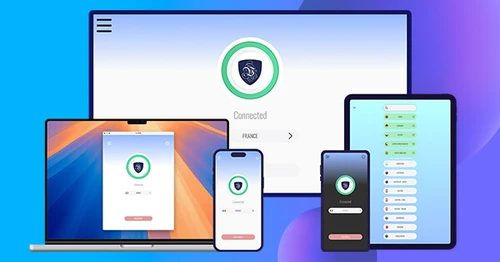
Download the latest Le VPN app for all devices




Download Le VPN for Mac (App Store)
For Apple Silicon and Intel Macs. Learn more about our Le VPN for Mac


Also available on


30-Day Money-Back Guarantee
Try Le VPN risk-free! If you're not satisfied within the first 30 days, let us know and we'll refund your money.

Quick recap
Threat Protection is a security layer built into the Le VPN app that blocks malware, phishing and malicious sites at the DNS level - before they ever load. When your device tries to reach a known dangerous domain, the request is stopped, so the harmful page never reaches you. It's one tap to turn on and works alongside the VPN connection.
- Blocks malware, phishing and scam sites at the DNS level, before they load
- Built into the Le VPN app - one tap to enable, no extra software
- Works on every device covered by your account, alongside the encrypted VPN tunnel
- Stops dangerous domains network-wide, not just in the browser
- Included with your Le VPN plan - up to 10 devices, 30-day money-back guarantee

