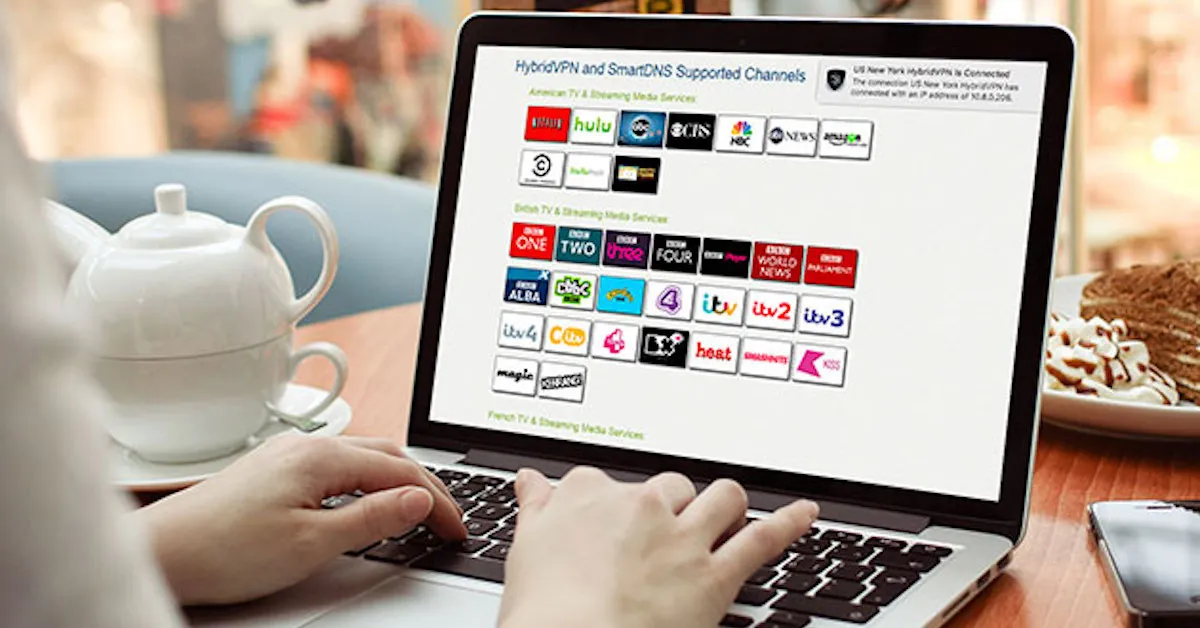
Watch TV Channels Online with SmartDNS
Few things are more frustrating than opening your favourite channel’s streaming site while travelling, only to be told the content “is not available in your region.” Broadcasters license their programming country by country, so the moment you cross a border, the catch-up services and live streams you watch every week at home suddenly stop working. The good news is that you don’t have to miss anything. With Le VPN you can watch TV channels online from almost anywhere, using either a full VPN connection or SmartDNS.
What Is SmartDNS and How Does It Work?
SmartDNS is a DNS-level unblocking technology. Instead of routing all of your traffic through an encrypted tunnel the way a VPN does, SmartDNS only reroutes the small part of your connection that streaming services use to determine your location. The rest of your traffic travels as normal.
That design has two practical consequences:
- Speed: because your video stream is not encrypted and does not travel through a VPN tunnel, there is virtually no speed overhead. You stream at whatever speed your internet connection normally delivers, which matters for HD and 4K video.
- Device compatibility: SmartDNS is configured by changing the DNS settings on a device, not by installing an app. That makes it useful on devices that cannot run VPN software at all - many smart TVs and games consoles, for example.
The trade-off is equally important to understand: SmartDNS does not encrypt anything and does not hide your IP address. It is a convenience tool for streaming, not a privacy tool. For everything else you do online - banking, browsing, working on public Wi-Fi - you should be connected through the VPN itself.
SmartDNS vs. a Full VPN Connection
A VPN connection replaces your visible IP address with the address of the server you connect to and encrypts all traffic between your device and that server. When you connect to one of Le VPN’s servers in 100+ locations across the Americas, Europe, the Middle East, Asia-Pacific and Africa, websites and streaming services see you as a local visitor in that country.
For most people, the VPN apps are the simplest way to watch TV channels online:
- Want UK television? Connect to any UK server for BBC or ITV. For Channel 5, use the Celesterra server. Channel 4 works via Celesterra or London, but only in a desktop web browser - not on mobile devices. If ITV or Channel 4 misbehave, the Coventry server is a good fallback.
- Swiss channels such as rts.ch work from the Switzerland - Media server.
- The same logic applies everywhere: connect to a server in the country where the channel is based, then open its website or app as usual.
One honest caveat: large international platforms actively detect and block VPN and DNS unblocking, and no provider can promise that every service will work at all times. If a particular site refuses to load, try a different server in the same country - and check the current list on the Le VPN servers page.
When SmartDNS Is the Right Tool
SmartDNS earns its place in two situations:
- Devices without VPN apps. If your smart TV or console has no way to install a VPN client, configuring SmartDNS in the device's network settings lets it reach supported streaming channels directly.
- Maximum streaming speed. On a slower internet connection, skipping encryption for the video stream can make the difference between smooth playback and buffering.
Setting it up is a one-time job: you change the DNS servers in your device’s network settings to the addresses provided by Le VPN and register your connection in your client area. After that, supported channels simply work whenever you open them.
One Subscription, Every Device
SmartDNS access is included with a Le VPN subscription - there is nothing extra to buy. The same account also gives you the full VPN apps for Windows, macOS, iOS, Android and Android TV, with up to 10 simultaneous connections, so your laptop can be secured through the VPN while your TV streams through SmartDNS.
You can verify what any website sees about your location at any time with the Le VPN IP test page.
If you haven’t tried it yet, sign up for Le VPN and watch your TV channels online wherever life takes you. Every new subscription is covered by a 30-day money-back guarantee on your first purchase, so you can test it on your own devices, in your own destinations, entirely risk-free.
About the author
Le VPN Blog Editor
Alan Summers has been writing and editing for the Le VPN blog for years, covering online privacy, cyber security, and the best ways to get the most out of a VPN. He keeps a close eye on the news that affects internet freedom around the world and turns it into practical advice for Le VPN readers.
Articles by Alan Summers →
