Watch CBS Online With Le VPN
Thanks to video streaming, television is no longer tied to the living room. Your laptop, tablet, and smartphone all double as TV sets, and America’s biggest networks put their shows, news, and live sports online. CBS is one of the biggest names among them - but try to press play from outside the United States, and you’ll quickly meet the phrase “this content is not available in your region.” Here’s why that happens, and how to watch CBS online from anywhere with Le VPN.
CBS Online: What You Can Watch
CBS (Columbia Broadcasting System) is one of the major American broadcast networks, home to prime-time dramas and comedies, late-night shows, news, and major live sports. Today its programming streams through CBS.com and through Paramount+, the subscription streaming service that absorbed the former CBS All Access - including live TV options that let you watch the network feed in real time on phones, computers, smart TVs, and consoles.
The catch is licensing. CBS holds the rights to stream its content to viewers in the United States, so its platforms check every visitor’s IP address. Outside the US - whether you’re an American abroad on business, an expat, a student overseas, or simply traveling - the stream is blocked, even if you pay for a subscription back home.
How To Watch CBS Online From Abroad
Since the block is based on your IP address, the solution is to change what country your IP address appears to come from. That’s exactly what a VPN does: it routes your connection through a server in a country you choose, and every website you visit sees that server’s address instead of yours.
With Le VPN it works like this:
- Install the Le VPN app on your device - Windows, macOS, iOS, and Android are all supported;
- Connect to a US server. Le VPN offers multiple American locations - New York, Chicago, Los Angeles, Miami, Dallas, Seattle, and more - see the full server list;
- Open the streaming site or app and sign in with your account. With an American IP address, US content is available to you just as it is at home. You can confirm your new IP on the test-your-IP page.
A note of honesty: streaming platforms actively try to detect and block VPN connections, and no provider can guarantee every service works from every server at every moment. If a stream won’t load, switching to a different US server location and reloading usually solves it - Le VPN’s multiple US cities give you plenty of alternatives.
Cover The Big Screen Too: VPN Routers And SmartDNS
Watching on a laptop is easy; the living-room TV takes one extra step, since most smart TVs and game consoles can’t run a VPN app directly. You have two good options:
- A VPN router. Set up Le VPN on a compatible router and every device that joins its Wi-Fi - smart TV, consoles, streaming sticks, laptops, phones - is automatically behind the VPN, with the router counting as just one connection.
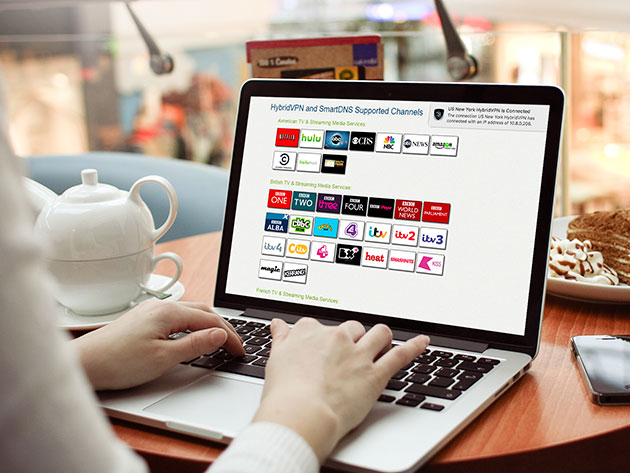
- SmartDNS. Included with Le VPN subscriptions, SmartDNS unblocks supported channels at the DNS level with a one-time settings change on the device itself - handy for TVs and consoles where apps can't be installed.
And because one Le VPN account allows up to 10 simultaneous connections, the whole household can watch on different devices at once.
More Than American TV
The same trick that unlocks CBS works worldwide. With servers in 100+ locations across the Americas, Europe, the Middle East, Asia-Pacific, and Africa, Le VPN lets you watch an American show from Argentina, British telly from Bangkok, or French channels from Canada - wherever you happen to be, you can browse as if you were home.
There’s a security bonus, too. Frequent travelers do most of their streaming over hotel, airport, and café Wi-Fi - precisely the networks where snooping is easiest. Le VPN encrypts your entire connection with modern protocols like OpenVPN and WireGuard, so your logins, payments, and browsing stay private on any network.
Ready to stop letting borders decide what you watch? Try Le VPN with a 30-day money-back guarantee on your first purchase, connect to a US server, and watch CBS online from anywhere in the world.
About the author
Le VPN Blog Contributor
Shalini Nagaonkar is a longtime contributor to the Le VPN blog, writing on cyber security, digital privacy, and how to stay safe online. Her articles cover everything from practical VPN use cases to the latest developments in online security.
Articles by Shalini Nagaonkar →
