How To Protect Yourself From Data Theft?
In today’s world, every business - and every individual - is at risk of data theft. The headlines never stop: the Equifax breach exposed the personal records of roughly 147 million consumers, including social security and driver’s license numbers, and in the years since, breaches of that scale have become almost routine. Billions of records leak annually, feeding identity theft, financial fraud, and account takeovers.
Studies consistently show that small businesses are favorite targets for online threats - they hold valuable data but rarely have enterprise-grade defenses. The encouraging news: most data theft exploits basic gaps, and closing them doesn’t require a security department. Here are the measures that matter.
Measures to protect yourself from data theft
1. Secure your network
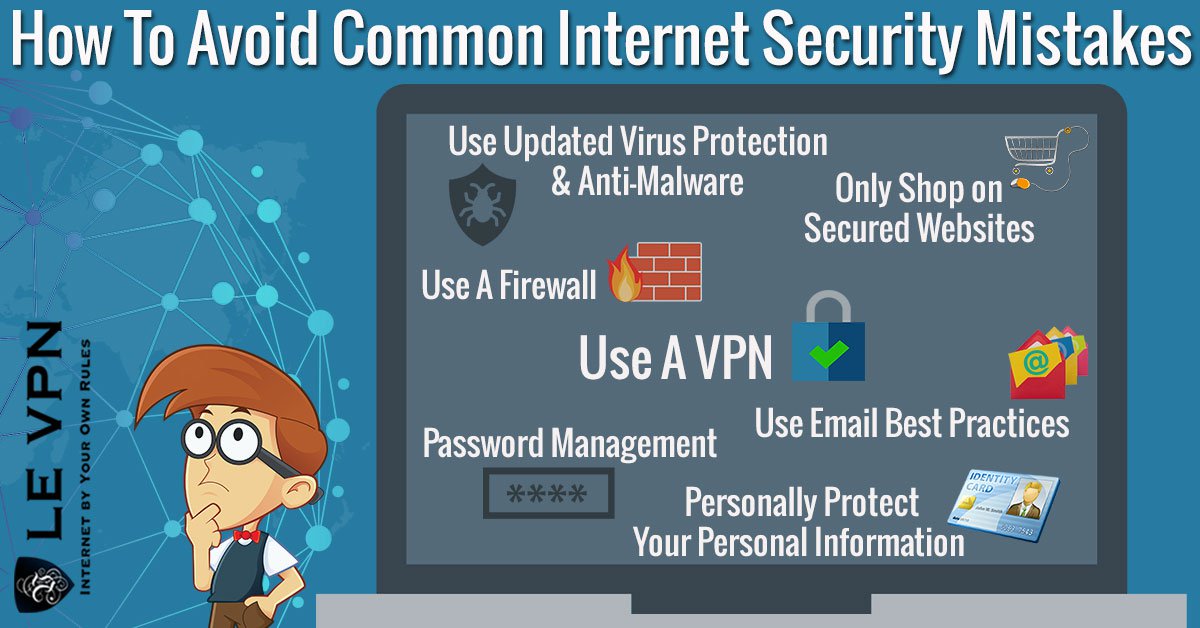
Your operating system’s firewall is the first step - keep it on. Secure your router: change the default admin password, keep the firmware updated, and use WPA2/WPA3 encryption on Wi-Fi. And if you or your employees work remotely, make sure internet access goes through a virtual private network. A VPN encrypts all traffic between the device and the internet, so data stays safe even on hotel and café hotspots - the classic hunting grounds for interception.
2. Train yourself and your employees
Most data leaks happen through human error, not technical wizardry - a convincing phishing email, an urgent phone call, a malicious link. Train everyone on the basics: verify legitimacy before giving out personal or company data, treat unexpected links and attachments as hostile, and never share credentials or 2FA codes with anyone who asks for them. Make it easy to report suspected phishing without blame - speed of reporting limits damage.
3. Control physical and removable storage
Data walks out the door on hardware, too. Keep removable drives with sensitive data in secured storage when not in use, encrypt laptops and USB drives so a lost device isn’t a lost database, limit file access to the people who actually need it, and wipe or destroy old drives before disposal.
4. Keep software updated
Updates to your operating system, browser, and applications are primary tools of defense - most successful attacks exploit vulnerabilities that patches had already fixed. Turn on automatic updates wherever possible, and run reputable antivirus and anti-malware software on all devices, phones included.
5. Use strong passwords and two-factor authentication
Create separate user accounts for each person, and always change default passwords - on computers, routers, and every connected gadget. Use strong, unique passwords: long combinations of letters, numbers, and symbols, never reused between accounts, managed painlessly with a password manager. Then add two-factor authentication on everything important - email, banking, cloud storage - so a stolen password alone can’t unlock the account.
6. Encrypt your traffic with a VPN
A VPN is one of the most effective everyday measures for data security, because all traffic passing through it gets encrypted. Encryption encodes your information so that even if someone intercepts it - on public Wi-Fi, at the ISP level, anywhere along the path - they get unreadable ciphertext instead of your logins and files. It also hides your IP address, removing the identifier that links your activity together and exposes your location.
Le VPN and data security
We at Le VPN understand how important your data is. Once you subscribe, the connection side of data security is handled:
- Top-secret-level AES-256 encryption guards your data from hackers and eavesdroppers, even on public Wi-Fi.
- Modern protocols - OpenVPN, WireGuard, and Stealth WireGuard, which disguises VPN traffic on networks that try to block it.
- Threat Protection in the Windows, iOS, and Android apps blocks known malicious and phishing domains at the DNS level - cutting off the most common data-theft delivery route before it loads.
- Breach Detection on mobile alerts you if your email address appears in a leaked-credentials database, so you can change passwords before criminals use them.
- Servers in 100+ locations across the Americas, Europe, the Middle East, Asia-Pacific and Africa, letting you bypass geo-restrictions and browse anonymously without compromising security.
- Up to 10 simultaneous connections - pick the VPN app for iOS, Android, Windows, or macOS and cover all your devices with one account.
Opting for Le VPN is a smart decision: it’s affordable, easy to use, and backed by a 30-day money-back guarantee on your first purchase. Data theft thrives on unprotected connections and reused passwords - take both off the table, and you become a far harder target than the thieves are counting on. Subscribe now and enjoy safe internet browsing.

