Unblock Websites On The Go With Le VPN’s Top VPN Service
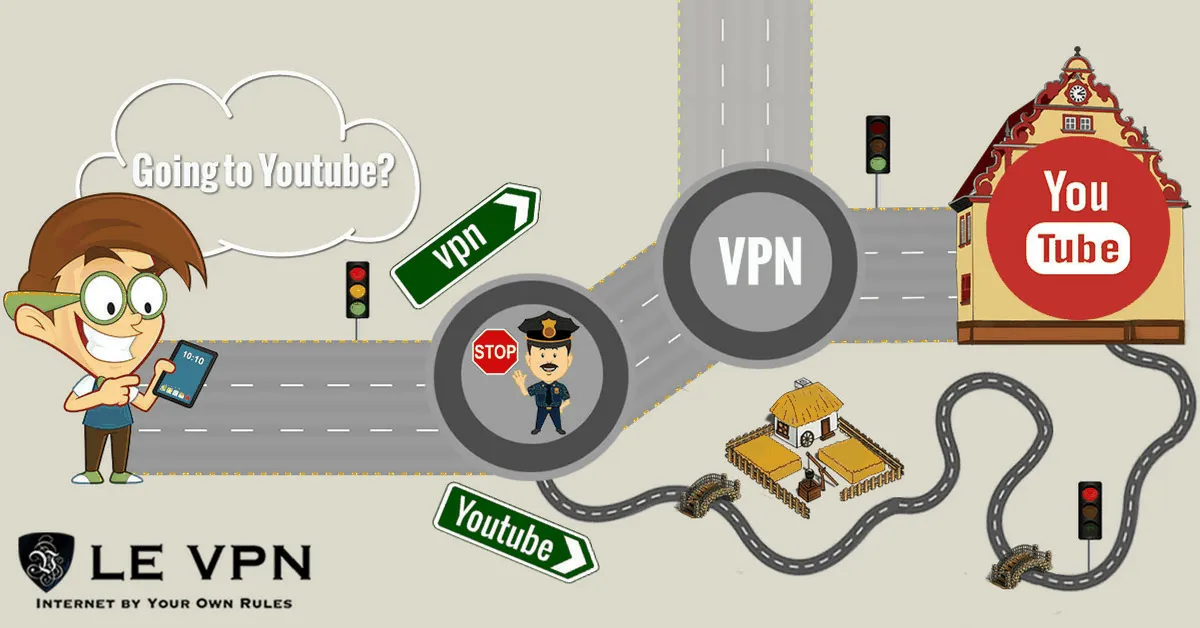
Travel changes your internet. The video platform you use daily suddenly shows “not available in your region.” The catch-up TV app from home refuses to play. Even YouTube - the world’s default video library - is blocked outright in some countries and filtered on plenty of school, office and hotel networks. If you want your internet to travel with you, you need a top VPN service, and this is exactly the problem Le VPN was built to solve.
Why Websites Get Blocked - And How A VPN Gets Through
Every block you meet on the road comes down to one of three mechanisms:
- Geo-restrictions: streaming platforms and broadcasters license content country by country, so they check your IP address and refuse visitors from the "wrong" territory.
- Government censorship: some countries block entire platforms - video sites, social media, news outlets - at the national level.
- Local network filters: workplaces, universities and public hotspots often block streaming and social sites to save bandwidth or enforce policy.
All three rely on reading your IP address and inspecting your traffic. A VPN defeats both tricks at once: it wraps your traffic in an encrypted tunnel (so local filters can’t see what you’re accessing) and routes it out through a server in a country you choose (so websites see that country’s IP address instead of your real one). Connect to a server where the content is available, reload the page, and the block is gone. Your identity stays private throughout - even while you unblock YouTube in a restricted region, the network only sees encrypted traffic to a server.
Unblock TV Channels, Social Media And More
YouTube is just the beginning. The same connection unblocks foreign TV channels, region-locked news sites, music services and social platforms. The pattern is always the same: connect to a server in the content’s home country, then open the service.
Take Indian TV as a concrete example. Due to licensing, many Indian channels and streaming platforms are inaccessible outside India. Le VPN has a server in India - connect to it from anywhere in the world and those channels work as if you were in Mumbai. The reverse works too: an Indian traveller abroad can reach services from home, and anyone inside a filtered network can route around the filter entirely.
With servers in 100+ locations across the Americas, Europe, the Middle East, Asia-Pacific and Africa - and unlimited switching between servers and protocols - you can hop between countries as often as your viewing habits demand.
What Makes Le VPN A Top VPN Service
- Four modern protocols. WireGuard delivers the speed streaming needs; OpenVPN with selectable ports gets through restrictive networks; Stealth WireGuard uses obfuscation to connect even in countries that block VPNs themselves; IPSec/IKEv2 covers Apple devices natively.
- Privacy by architecture. Your IP address is hidden and your traffic encrypted end to end, so neither the local network nor your ISP can log what you do.
- 10 simultaneous connections. One subscription protects your phone, laptop and tablet at the same time - and the whole family's viewing on the go.
- Apps for everything. Windows, macOS, iOS and Android, in 13 languages, plus router setup for smart TVs and consoles.
How To Get Connected
- Subscribe to Le VPN on the subscription page - every plan carries a 30-day money-back guarantee on your first purchase.
- Install the app on your device and log in with the VPN credentials from your activation email.
- Pick your protocol (the default works for most networks; switch to Stealth WireGuard on censored ones) and select the country whose content you want - India for Indian channels, the UK for British TV, the US for American sites.
- Connect, then confirm your new location on the test your IP page. You're all set to watch.
Wherever you roam, your internet doesn’t have to shrink to fit the local rules. With Le VPN’s top VPN service in your pocket, every website you rely on at home comes along for the trip.
About the author
Le VPN Blog Contributor
Shalini Nagaonkar is a longtime contributor to the Le VPN blog, writing on cyber security, digital privacy, and how to stay safe online. Her articles cover everything from practical VPN use cases to the latest developments in online security.
Articles by Shalini Nagaonkar →