Le VPN's Mac app, rewritten from scratch: native, faster, and it keeps itself up to date
The Le VPN app for Mac has been rewritten from scratch. Not ported, not reskinned: a native macOS app, built for the Mac you actually own, whether it runs on Apple Silicon or Intel. It connects over WireGuard or WireGuard Stealth, lives in the menu bar as much as in its window, speaks 15 languages, and, the part we care most about, it keeps itself up to date. Version 3.4.1 shipped on 28 September, the same day as the 3.4.0 release that gave the app a new look and the newest revision of our Stealth protocol. The Windows app went through the same rebuild this month. And behind both, every server in the Le VPN fleet has been updated to carry the new Stealth.
If you use Le VPN on a Mac or a Windows machine, this is the update to install today. The rest of this post explains what changed, how the automatic updates work, why we recommend the direct download over the App Store, and what the new Stealth protocol does.
What is in the new Mac app?
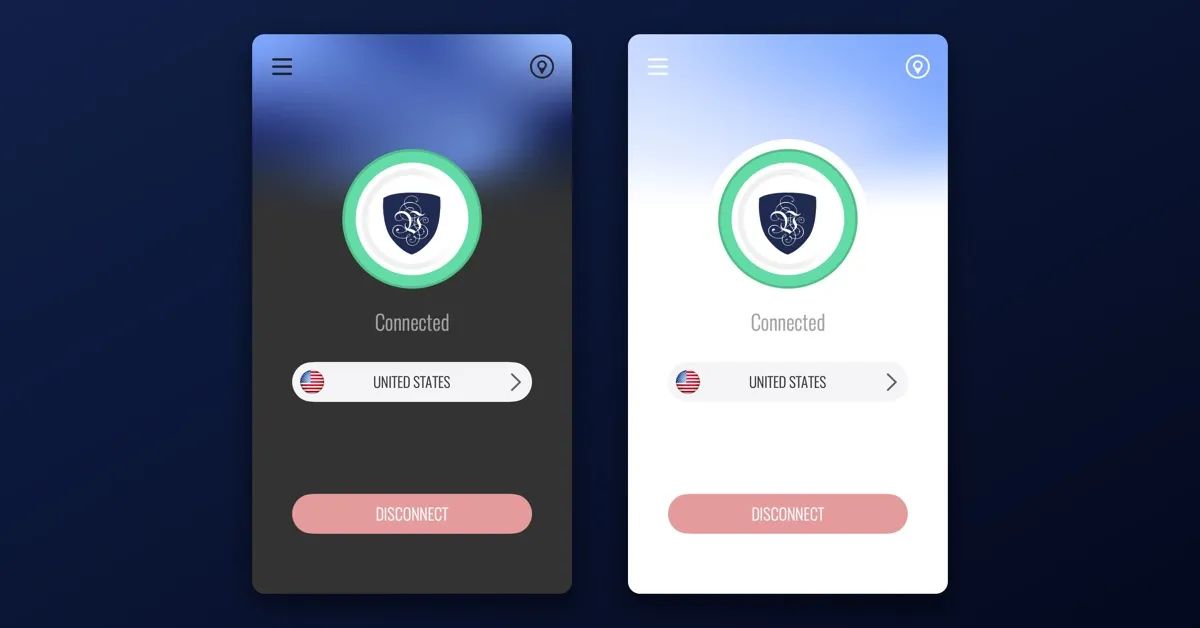
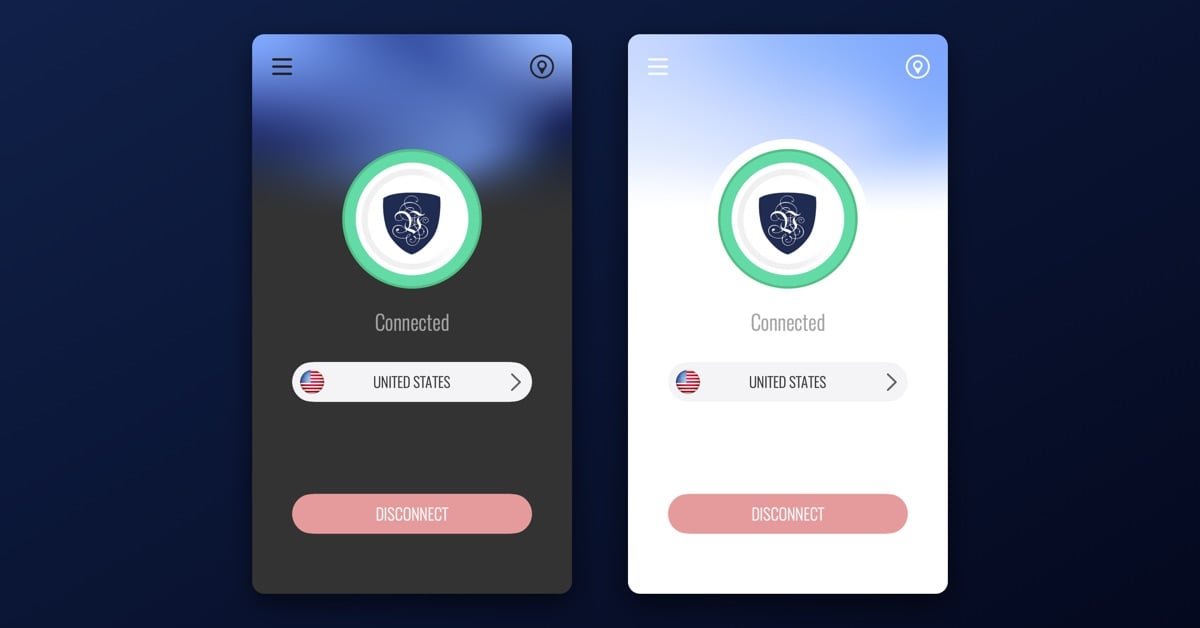
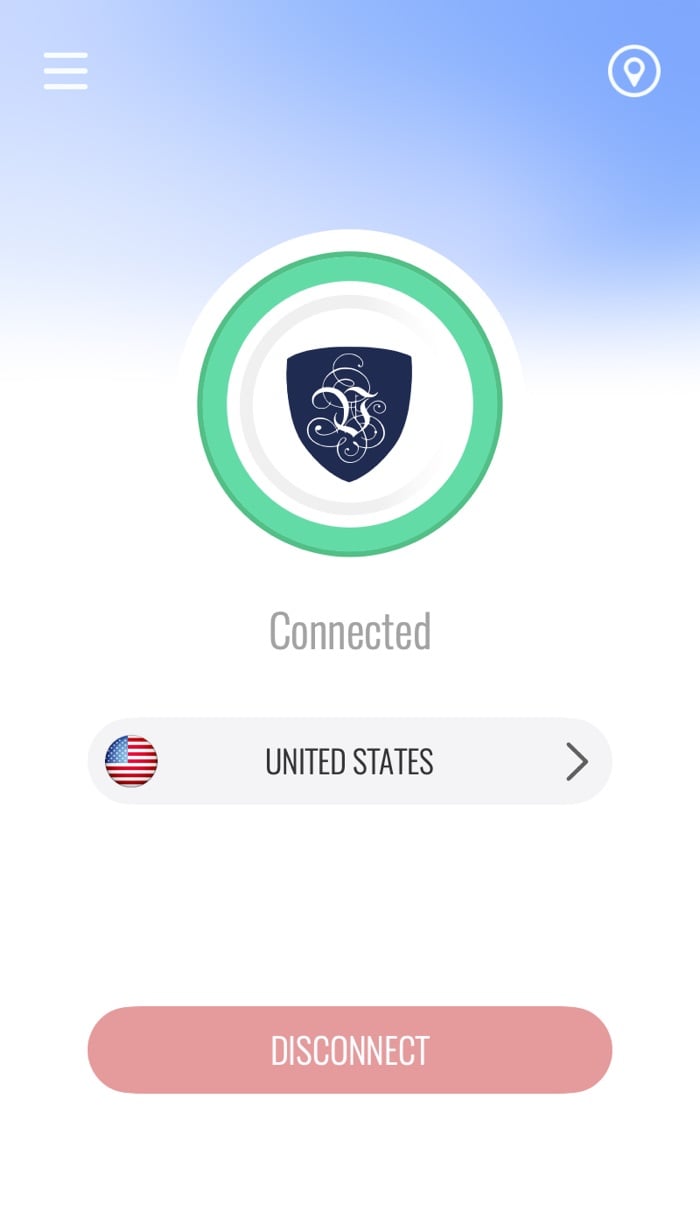
The main window keeps the shape Le VPN users know from the iPhone: one screen, one server, one button. Pick a location, press Connect, approve the one-time system prompt on the first connection, and the ring around the shield turns green.
Around that one screen sits everything a desktop VPN should have:
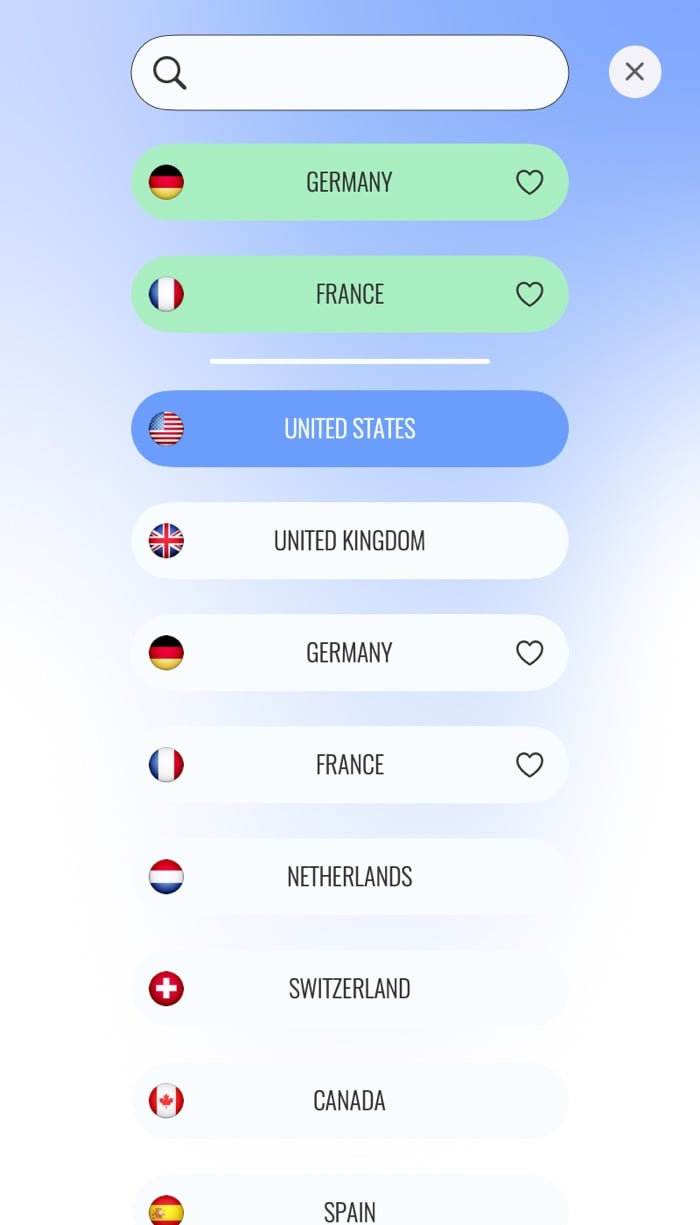
- Servers in 100+ locations. The list opens from the server row, with search and flags. Favourites sit in their own section at the top, and a new install starts with a few suggested favourites already in place.
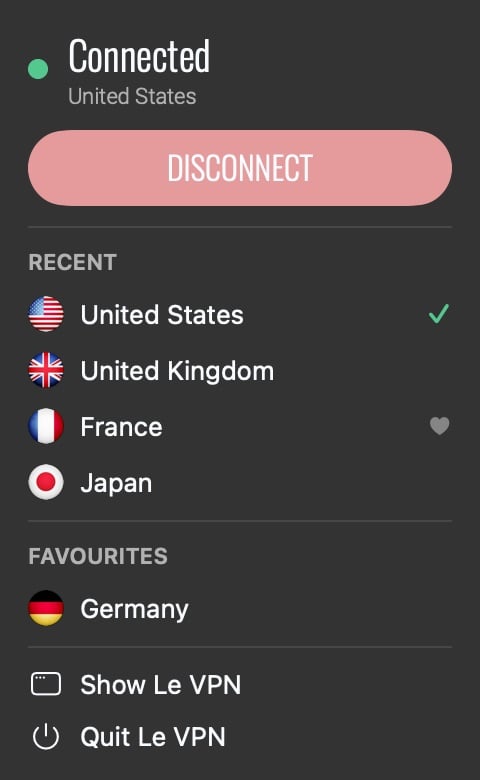
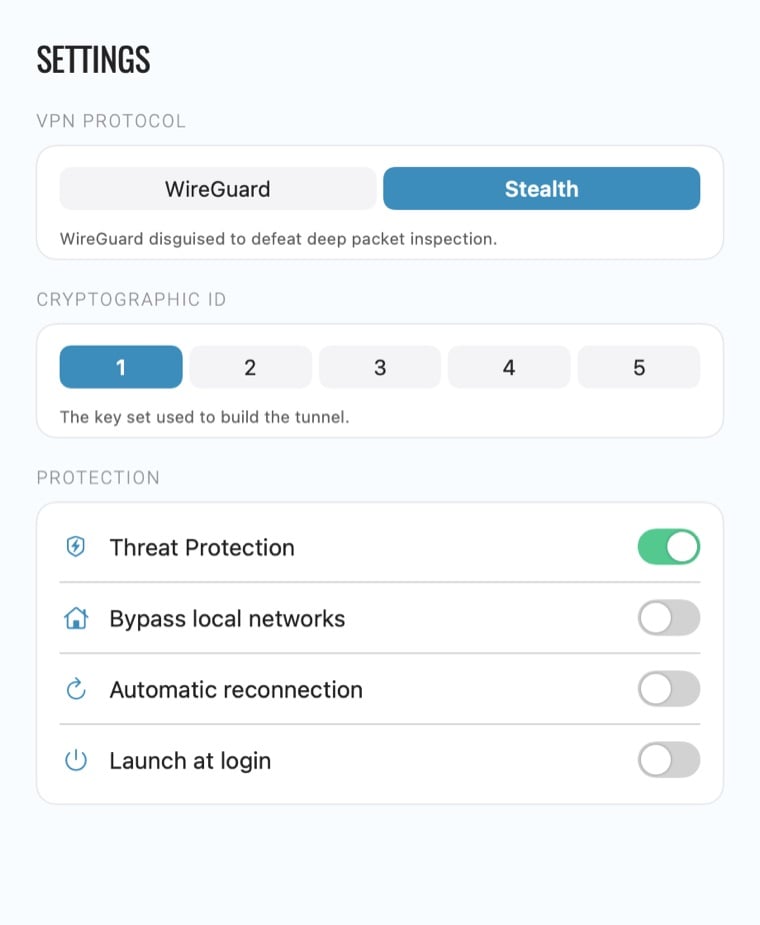
- WireGuard and WireGuard Stealth. Two protocols, switched in Settings. WireGuard Stealth is the default: the same tunnel, disguised so that networks which block or throttle VPN traffic let it through.
- A menu bar shield. The icon shows the connection state and opens a small panel with the Disconnect button, recent servers and favourites. Close the window and the app keeps running up there; quitting it disconnects the VPN.
- Threat Protection. With one switch, the tunnel resolves names through a filtering DNS resolver that refuses known malicious domains, for every app on the Mac at once.
- Test your IP. The pin icon shows the address the Mac presents to the internet, its location, the provider and whether Le VPN sees you as protected. Check it after you connect; no browser needed.
- The desktop details. Launch at login, Start minimized, Auto Connect, Bypass local networks so printers and AirPlay keep working, five Cryptographic IDs per account, light and dark themes, and 15 languages.
What happened to the old Mac app?
The previous Mac app was built in another era of the Mac: an Intel-only application around OpenVPN and L2TP, with its last major release in October 2020. It served well, and it still exists as the legacy app for Macs that cannot leave macOS 12. But it predates Apple Silicon, predates WireGuard in our fleet, and predates the network conditions that made Stealth necessary.
So instead of patching it, we started over. The new app is a universal binary running natively on M1 through M5 and on Intel, requires macOS 13 Ventura or later, and carries only the two protocols that represent the current state of the art. WireGuard’s design goal is a protocol small enough to be “comprehensively reviewable by single individuals”, which is the property you want in the code that carries all your traffic. Everything else about the app, the mesh background, the menu bar panel, the settings, was designed for this decade’s macOS, in light and dark. Our Mac download page has the full requirements.
How do the automatic updates work?
Here is the quiet headline of this release. You install the Mac app once. From then on it checks for a new version about once a day, tells you when one exists, and installs it. Le VPN menu, then Check for Updates, checks on the spot. The one thing to know: installing an update restarts the app, which turns the VPN off for a moment, so the app leaves the timing to you.
We think an update system that works on its own is a security feature, not a convenience. The version of a VPN app you run matters as much as the protocol it speaks. The September releases are the proof. Between its first public release earlier this month and 28 September, the Mac app reached 3.4.1, picking up an updated Stealth protocol, a redesign and a working Automatic reconnection switch along the way. Users on the direct download received each of those the day it shipped, without visiting a download page once. The Windows app has updated itself the same way since its version 3.0.0.
Direct download or Mac App Store?
Both, now. The direct download lives at le-vpn.com/app/mac/latest, a permanent link that always serves the newest installer. And since 29 September the app is also on the Mac App Store, on the same listing as our iPhone, iPad and Apple TV apps.
But we recommend the direct download, and the reason is the update path. Apple reviews every version of every store app before users can have it. Apple’s own figure is that 90% of submissions are reviewed in less than 24 hours, which is fast, but it is an average, not a promise, and it sits between you and every fix we ship. Our own Mac listing is the case in point: approval took about ten days, and direct-download users were already running 3.4.1 before the store listing appeared. The direct download answers to no queue: when we release, you update. For an app whose job is to outpace network-level blocking, that difference is not cosmetic. When the September Stealth update went out, direct-download users had it the same day.
There is a second, harder reason. In some of the countries where a VPN matters most, the App Store simply cannot carry us. Apple pulled VPN apps from its Chinese App Store in 2017 under China’s licensing rules, 674 apps that year by the count two US senators put forward, and VPN apps have largely stayed out of that storefront since. In Russia, our iOS app was removed from the App Store at Roskomnadzor’s request, part of a wave that left 98 VPN apps unavailable in the Russian App Store by September 2024, according to GreatFire’s AppleCensorship project. A store build of a VPN app is only as available as the store’s local policy. The direct download comes from us, everywhere, and updates from us, everywhere.
What does the updated Stealth protocol change?
WireGuard Stealth is our obfuscated WireGuard: the same cryptography, wrapped so that deep packet inspection does not recognise it as VPN traffic. The September update is its newest revision, rebuilt against the traffic-analysis techniques we saw deployed this year, including the September wave of VPN blocking in Russia. On the Mac it is simply the protocol called Stealth in Settings, and it is the default.
A protocol update is only half the work. For this release we updated the entire fleet: every Le VPN server now runs the new Stealth alongside the previous version, so older app versions keep connecting while updated apps get the new disguise. Nothing about your account changes, and Stealth still uses the same servers and IP addresses as plain WireGuard, so it does not unlock anything a normal connection cannot reach. Its one job is to get the tunnel up on networks that fight it: hotel Wi-Fi, campus networks, and countries that block VPN protocols outright.
What about the Windows app?
The Windows app went through the same rebuild, on the same reasoning. The 3.x app that shipped this September was written from scratch: lighter and faster than the 2.x line it replaces, with WireGuard and WireGuard Stealth, Stealth on by default behind a single switch, and the same protocol-level kill switch. It adds Threat Protection under the name Block Online Threats, an Ad Blocker, the Data Breach Scanner that watches whether your email address surfaces in leaked databases, Auto Connect, five Cryptographic IDs, a tray icon for quick connects, and a dark theme. It needs 64-bit Windows 10 or 11; older machines keep the legacy app, as the Windows download page explains.
And from version 3.0.0 the Windows app updates itself, exactly like the Mac app. The updated Stealth protocol is rolling out across the app family, and on Windows it lands the same way everything lands now: through the built-in updater, no download page involved.
One important note for long-time users: the old 2.x Windows app cannot update itself. If your Le VPN for Windows still looks like the 2.x app, install the new version once by hand from le-vpn.com/app/windows/latest, and that is the last installer you will ever fetch.
The Mac apps at a glance
| New native Mac app | Legacy Mac app | |
|---|---|---|
| macOS | 13 Ventura or later | Up to macOS 12 |
| Hardware | Apple Silicon (M1 to M5) and Intel | Intel |
| Protocols | WireGuard, WireGuard Stealth | OpenVPN, L2TP |
| Updates | Automatic, about once a day | Manual |
| Download | le-vpn.com/app/mac/latest | le-vpn.com/app/mac/legacy |
How do I update right now?
- Mac, already on the new app: open the Le VPN menu and choose Check for Updates, or wait for the daily check to offer it. The update installs itself and restarts the app.
- Mac, new install: download from le-vpn.com/app/mac/latest, drag the app to Applications, sign in with your Le VPN username and password, and approve the one-time system prompt on the first connection.
- Windows, on 3.x: the app offers the update on its own; accept it.
- Windows, still on 2.x: download le-vpn.com/app/windows/latest and install it once. From then on the app handles its own updates.
As on every Le VPN platform, the service keeps connection logs, not activity logs, and one subscription covers 10 simultaneous connections, so the Mac and the PC join the phone, the tablet and the Apple TV under the same account.
The apps are ready. The servers are ready. If Le VPN runs on your Mac or your PC, give it the minute it needs to update, and it will keep itself current from here on.
About the author
Le VPN Apps & Product
The Le VPN Product Team builds the Le VPN apps for iPhone, iPad, Mac, Windows, Android and Apple TV. They write here when something ships: a new app, a new platform, a new feature, and now and then a note on why a thing took longer than expected. Product posts are checked against the shipping build and the app's own release notes before they are published.
Articles by Le VPN Product Team →
