Top 10 Best Netflix Hacks that will Change Your Life
Netflix changed how the world watches TV - no ad breaks, no schedules, and whole seasons served up for one gloriously irresponsible night of binge-watching. But after a few months on the platform, most of us hit the same wall: the homepage keeps recommending the same fifty titles, the show you abandoned at episode two haunts your “Continue Watching” row forever, and finding something genuinely new takes longer than watching it.
The good news is that Netflix is full of features most subscribers never discover. No actual hacking required - these are built-in options and simple tricks that are just not advertised. Here are the ten best of them.
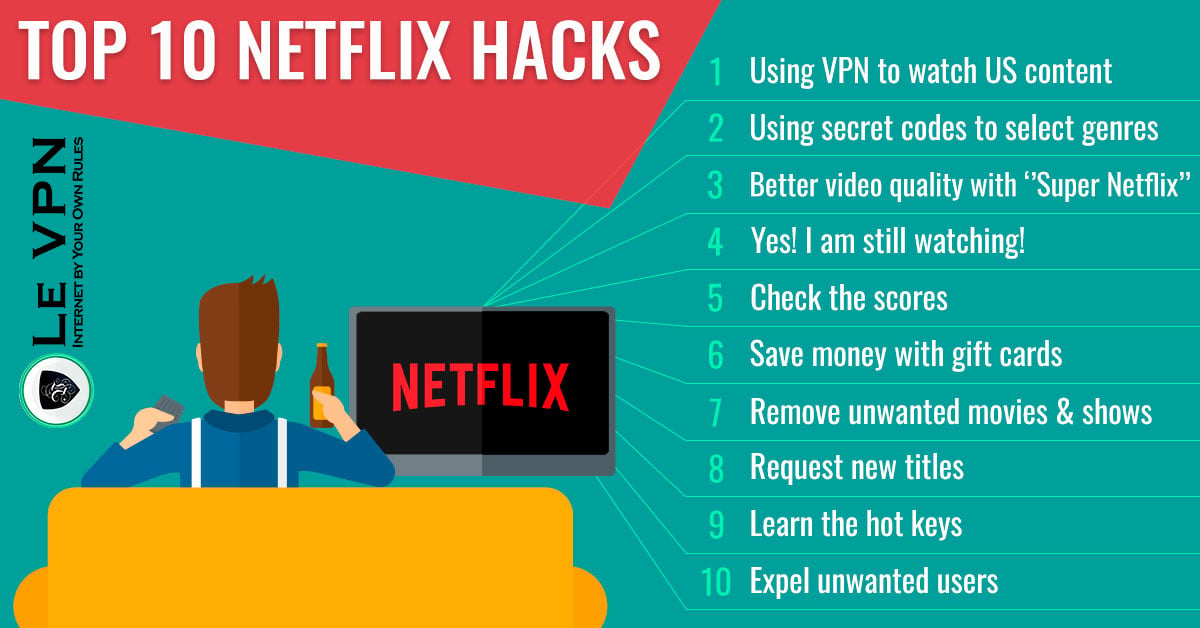
The Top 10 Netflix Hacks
1. Unlock hidden categories with genre codes
Netflix’s catalog is organized into thousands of hyper-specific genres - “Cult Sci-Fi & Fantasy,” “Witty Dramas,” “Scandinavian Crime Thrillers” - that the homepage never shows you. Each has a numeric code you can open directly in a browser using the address format netflix.com/browse/genre/[code]. Community-maintained lists of these codes are easy to find, and browsing by micro-genre beats scrolling the algorithm’s guesses every time.
2. Clean up "Continue Watching"
That movie you gave up on ten minutes in doesn’t have to follow you around. Under your profile’s Account → Viewing activity, you can hide individual titles from your history - which also removes them from Continue Watching and stops them from skewing your recommendations.
3. Train the algorithm on purpose
The thumbs ratings are not decoration. A few minutes spent rating shows you loved and hated recalibrates your entire homepage. Combine this with hack #2 to erase misleading history, and your recommendations improve dramatically within days.
4. Learn the keyboard shortcuts
Watching in a browser? The space bar pauses and resumes, F toggles fullscreen, M mutes, and the arrow keys skip backward and forward. Small things, but they add up over a few hundred episodes.
5. Download for offline viewing
The mobile and tablet apps let you download many titles for offline playback - the single best feature for flights, commutes, and anywhere with terrible internet. Queue up your downloads on home Wi-Fi before you travel.
6. Fix your subtitles
Buried in your account settings is a Subtitle appearance option that controls font, size, color, and background. If you have ever squinted at tiny white text on a bright scene, two minutes here fixes it permanently, across all your devices.
7. Use profiles properly
Separate profiles are not just politeness - they keep recommendations, viewing history, and “My List” from turning into an unusable family stew. Set up a Kids profile for children to get age-appropriate content and a simplified interface, and use profile locks (PIN) to keep everyone in their lane.
8. Control your data and playback quality
In playback settings you can choose the streaming quality per profile. Cap it on mobile data to avoid burning through your plan; max it out on your home connection to make sure you are actually getting the HD or Ultra HD you pay for.
9. Host a long-distance watch party
Browser extensions such as Teleparty synchronize playback across households and add a group chat, so you and your friends can watch the same episode at the same moment from different cities. Everyone needs their own Netflix subscription - the extension only synchronizes the players.
10. Take your Netflix with you when you travel - with a VPN
Netflix travels with you, but not identically: catalogs differ from country to country because licensing differs, and the selection you see abroad may not match the one at home. A VPN lets you connect to a server in your home country, so the services you already pay for see a familiar local connection while you are away. Le VPN offers servers in 100+ locations worldwide, making it easy to route your connection through home - and our guide to getting more out of your Netflix library covers this in more depth.
Just as importantly, a VPN keeps your streaming private and secure on the networks travelers actually use - hotel and airport Wi-Fi - by encrypting everything you send and receive.
Why the VPN Hack Is the One That Matters
Nine of these hacks improve your comfort. The tenth changes what your subscription is worth. With Le VPN you get:
- Servers in 100+ locations across the Americas, Europe, the Middle East, Asia-Pacific and Africa - connect through your home country from anywhere on Earth.
- Fast modern protocols - WireGuard and OpenVPN - with the bandwidth HD streaming demands.
- Up to 10 simultaneous connections, so the TV, the laptop, and the phone all stream protected at once.
- Encrypted traffic everywhere, which means your ISP can't profile your viewing and hotel Wi-Fi can't snoop on your accounts.
Setup takes minutes: install the app, connect to a server, and confirm your new location on the test your IP address page before you press play.
Binge Better
None of these tricks require technical skill - just knowing they exist. Spend one evening setting them up: clean your history, fix your subtitles, grab a few genre codes, and put a VPN on your devices for your next trip. Le VPN backs every first purchase with a 30-day money-back guarantee, so even the biggest upgrade on this list is risk-free. Happy streaming.

