How to Protect Yourself Online
For most of us, the internet is the first thing we touch in the morning: wake up, coffee, news, email, social media, and the day begins. Work, banking, shopping and half our social lives now run through the same connection - which means the question “how do I protect myself online?” is really the question “how do I protect my life?”
The threats have been public knowledge for years. Edward Snowden’s disclosures revealed sweeping government surveillance programs collecting ordinary people’s data at scale - as he put it, permanent records of private lives, “no matter how innocent or ordinary those lives might be.” Since then, the commercial side has caught up: ISPs, advertisers and data brokers profile browsing habits routinely, data breaches spill billions of credentials, and identity fraud keeps climbing. The good news is that protecting yourself doesn’t require expertise - just a handful of habits and one good tool. Here’s the practical checklist.
1. Secure the Connection Itself
Every login you perform sends your credentials across whatever network you happen to be on - and you rarely know who runs that network or who’s listening. Home connections are usually fine; the airport, hotel, café and train networks that fill the rest of our days are not. Many public Wi-Fi zones have no password at all, which means anyone can join, and unencrypted traffic on them can be intercepted. Fake hotspots with plausible names make it worse.
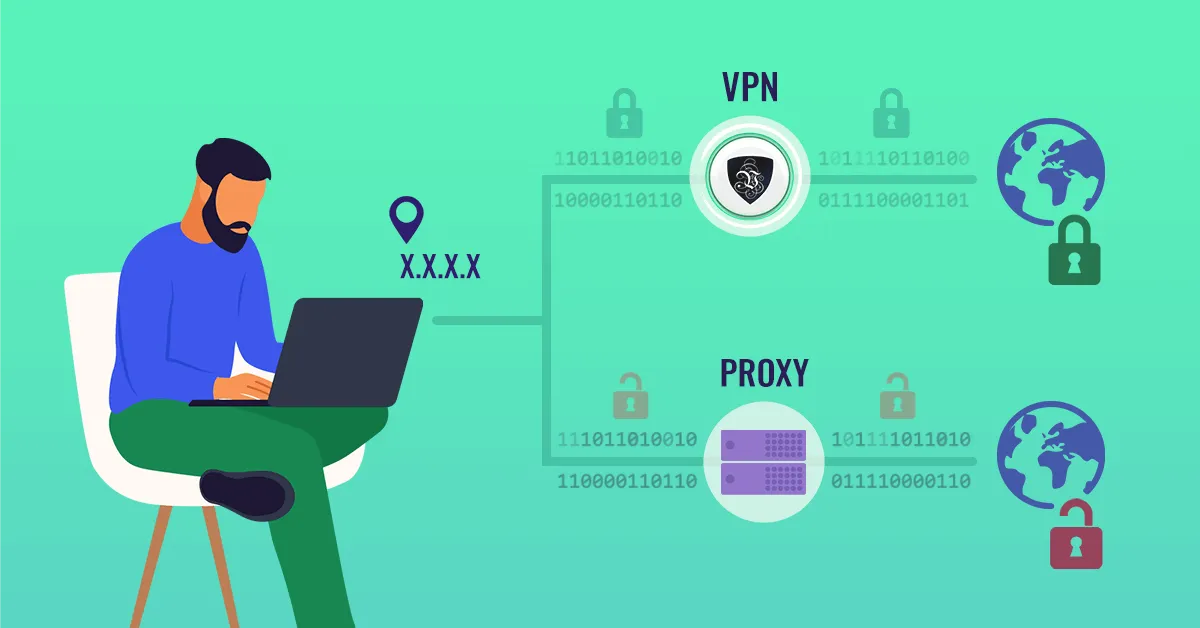
This is the layer a VPN fixes outright. Le VPN encrypts everything your device sends and receives - using modern protocols like OpenVPN, WireGuard, Stealth WireGuard and IPSec/IKEv2 - before it touches the local network. Snoopers get ciphertext; your ISP stops seeing your browsing; websites see the VPN server’s IP address instead of yours, from whichever of the 100+ locations you choose on the server list. You can verify what the internet sees about you at the IP test page. One account protects up to 10 devices simultaneously, with apps for Windows, macOS, iOS and Android.
2. Lock Down Your Accounts
- Unique passwords everywhere, stored in a password manager. When one site is breached - and sites are breached constantly - reused passwords turn a single leak into a master key.
- Two-factor authentication on email and banking first, then everything else. Your email account deserves maximum protection: whoever controls it can reset all your other passwords.
- Review old accounts. Every forgotten service still holding your data is a liability; close what you don't use.
3. Starve the Fraudsters of Raw Material
Identity fraud can affect anyone: with enough scraps of personal information, fraudsters take out loans, open credit cards and create accounts in your name - and untangling it can take months. There’s no single ultimate defence, but vigilance goes a long way:
- Never publicly display your home address, phone number or birth date; together they're a fraud starter kit.
- Think before posting travel plans, photos of documents or tickets, or anything that answers common security questions.
- Check that sites use "https" before entering payment details, and avoid saving your card on shops you won't revisit.
- Watch your bank statements; small unexplained charges are often a fraudster testing a stolen card.
4. Treat Every Unexpected Message as a Test
Most successful attacks don’t break encryption - they ask nicely. Phishing emails, texts and calls impersonate banks, delivery firms and employers, always with urgency: verify now, pay now, click now. The rule that defeats nearly all of them: never act through the link or number you were sent. Open the official app or website yourself and check there. Polished wording proves nothing - modern scams are fluent.
5. Keep Everything Updated
Operating systems, browsers, apps and your router’s firmware all receive security patches for holes attackers actively exploit. Turn on automatic updates and reboot when asked. It’s the least glamorous defence and one of the most effective.
Privacy Is a Habit, Not a Product
No single purchase makes you invulnerable - protection comes from the combination: an encrypted connection everywhere you go, strong authentication, cautious sharing, skepticism toward unexpected messages, and up-to-date software. But of those, the encrypted connection is the piece you can set up once and benefit from every single day, on every network, automatically.
Protect yourself with Le VPN - easy to set up, working everywhere you connect, and covered by a 30-day money-back guarantee on your first purchase.
About the author
Le VPN Blog Editor
Alan Summers has been writing and editing for the Le VPN blog for years, covering online privacy, cyber security, and the best ways to get the most out of a VPN. He keeps a close eye on the news that affects internet freedom around the world and turns it into practical advice for Le VPN readers.
Articles by Alan Summers →