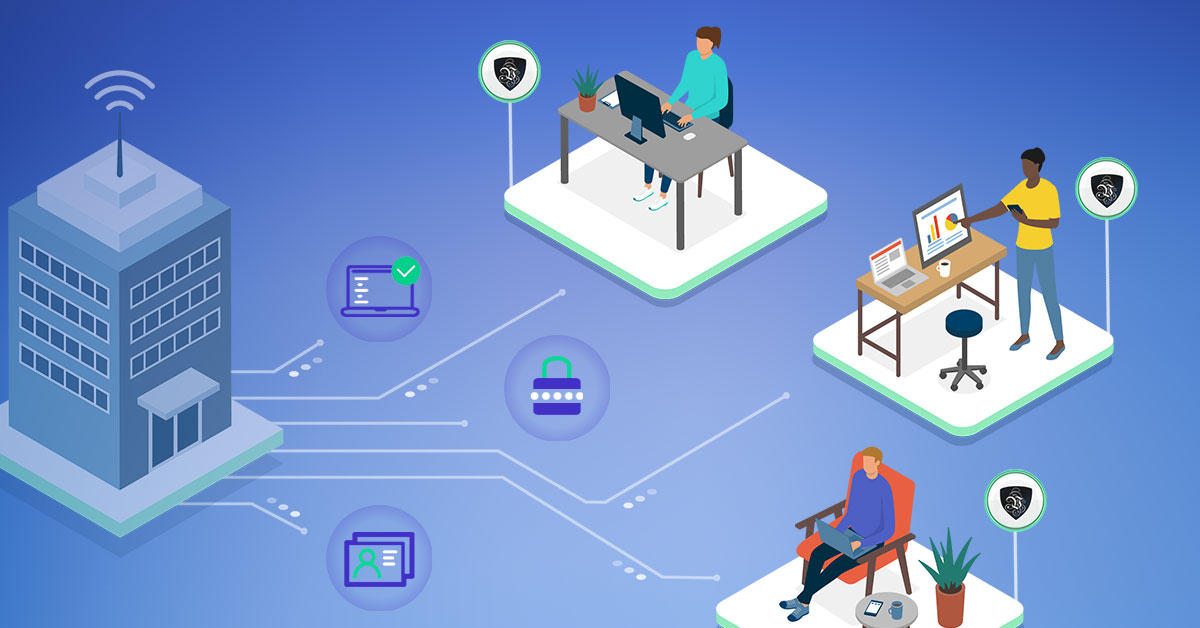
Cybersecurity Tips for Businesses with Remote Workers
Remote and hybrid work are no longer an emergency measure - they’re simply how a large share of the world’s companies operate. And with years of remote working under our collective belt, the security issues that should have been obvious from the get-go are now well documented. Companies get attacked left and right, and the businesses that stay standing are the ones that treat cybersecurity tips for remote teams as core policy, not an afterthought.
Interestingly, much of the best practice comes from freelancers and people who worked remotely long before it was mainstream. Since larger businesses are not as flexible as individuals or small studios, they benefit from adopting ideas from the “little guys.”
Generally, the three main cybersecurity tips for businesses are:
- Make closed systems
- Protect ALL devices
- Constant education is key
What every cybersecurity expert knows is that a system is only as secure as its weakest link. That’s why it’s essential to train and inform your employees about every new threat and make certain they actually get it. One careless click can jeopardize the whole system and your clients.
Ideally, you’d give every employee a dedicated work device. For many companies that expense isn’t viable, and staff end up working from personal computers - which makes it even more important to secure the connection and the accounts, since you can’t fully control the machine.
Thankfully, premium providers like Le VPN can do a lot of the digital-sphere work for you: a single account covers up to 10 simultaneous connections, so each remote worker’s laptop and phone can run inside an encrypted tunnel, and you can also configure a VPN directly on a home router to cover every device behind it.
Cybersecurity Tips and Essentials
Unlike private individuals, companies don’t have the luxury of being lax with security. While a data breach for an individual might mean annoyance or even identity theft, for a company it can spell doom.
Even a small breach - something as “minor” as your clients’ phone numbers - can lead to regulatory fines, lawsuits, and a reputation that never fully recovers. If you operate in any field where people expect discretion, such an incident can be devastating.
That’s why the essentials alone aren’t enough. Yes, every computer needs to stay updated, and access needs to be controlled with strong, unique passwords and multi-factor authentication. But when you have remote workers, you need extra layers:
- Encrypt connections everywhere. Remote staff work from home networks, cafés, and airports. Every one of those connections should run through a VPN tunnel.
- Limit access by role. No one should be able to reach data they don't need for their job - that way one compromised account can't expose everything.
- Back up regularly, and keep copies offline. Ironically, keeping your business safe while working predominantly online means keeping a lot of information offline. Offline backups are the single best insurance against ransomware.
- Have an incident plan. Decide in advance who does what when a laptop is lost or an account is phished. Speed limits damage.
Protect the Base First
Even if your business model is completely decentralized, something still serves as the “home base” of your company. It can be anything from the manager’s home office to the server room hosting your website - the principle is the same.
This point needs to be the most protected location in your cybersecurity setup and the last line of defense for the bulk of your data and client information.
Primarily, all connections in and out of this base need to be encrypted. Even at home, doing something as simple as checking social media, route your traffic through a VPN. Le VPN gives you servers in 100+ locations and modern protocols - OpenVPN, WireGuard, and Stealth WireGuard for networks that try to block VPN traffic - so both personal and business browsing pass through an encrypted tunnel that shuts out snoopers, leeches, and hackers. A helpful bonus: WireGuard blocks all traffic automatically if the tunnel drops, so nothing ever leaks in the clear.
Additionally, put a real system behind your passwords and passcodes. The modern answer is a reputable password manager: it generates a long, unique password for every account, encrypts the vault, and makes rotation painless when someone leaves the team. Pair it with multi-factor authentication on every business-critical account - email and admin panels first. Whatever you do, don’t keep credentials in plain spreadsheets; one leaked file would hand an attacker the keys to everything.
Educate Your Staff
The larger your staff, the bigger the chance some of them simply aren’t tech-savvy. Especially if your business isn’t primarily focused on technology, this will be a problem.
Keep the system as simple as possible and take time to educate every person about what’s expected. Phishing recognition deserves the most attention - the overwhelming majority of breaches start with a convincing email, not with elite hacking. Teach people to slow down on anything urgent-sounding that asks for credentials, payments, or attachments.
And frame it as a benefit, not a burden: once employees understand what a VPN connection is and how a password manager works, they can use the same tools to protect their personal lives too. If your team sees new cybersecurity practices as a bonus from the company rather than an added responsibility, adoption gets much easier.
Share the Bonus
Remote work brings the company multiple benefits: productivity is usually up, and costs for electricity, equipment wear, and office expenses are considerably down.
Use some of that saving and share it with your employees. It doesn’t need to be financial - allocate a budget for the devices and security software they use at home, just as you would have equipped their desks at the office. A company-paid VPN subscription, password manager, and antivirus for every remote worker costs a fraction of a single breach.
Conclusion
Although managing security and introducing cybersecurity tips for businesses can sound daunting, it isn’t actually that hard. Keep systems updated, encrypt every remote connection with a premium VPN provider like Le VPN - which you can try with a 30-day money-back guarantee on your first purchase - and half of your work is already done.
Then you only need to focus on making sure everyone actually practices it.
About the author

Guest Author
Vuk Mujović is the founder of MacTíre Consulting, an analyst, data management expert, and a long-term writer on all things business & tech. He authored blogs, articles, and opinion pieces aimed to help both companies and individuals achieve growth without compromising their security.
Articles by Vuk Mujović →
