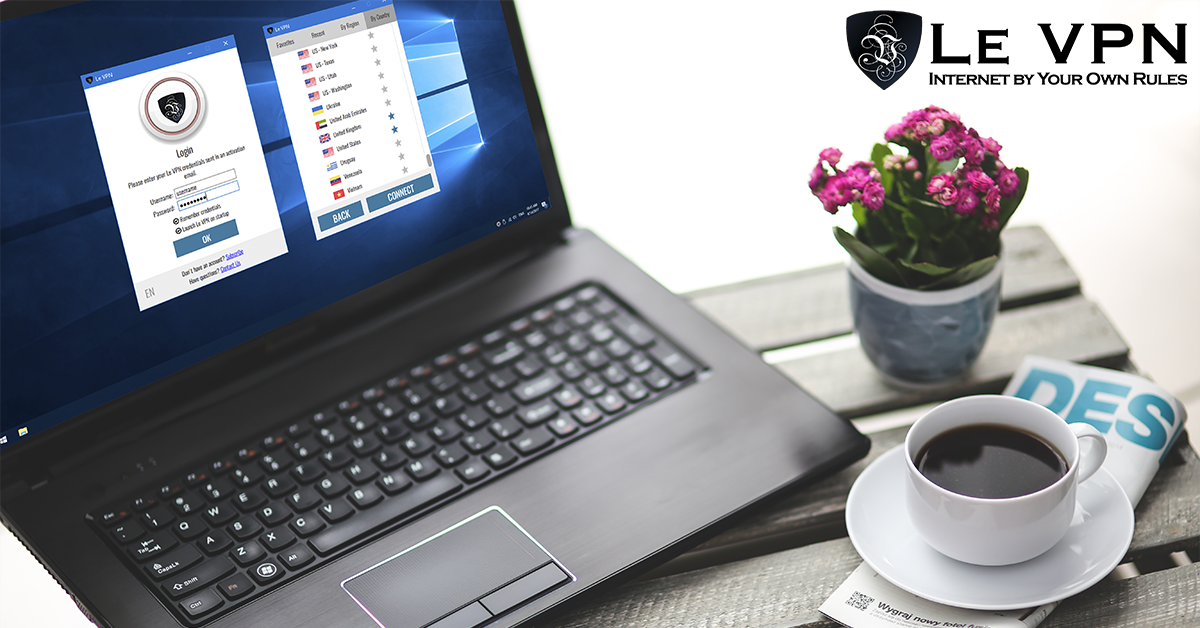
Le VPN software for Windows is now out! Try the best VPN for Windows with Le VPN!
The best VPN for Windows is Le VPN’s custom Windows VPN software - rebuilt from scratch, faster and more secure than ever.
Le VPN's Windows App: Built for the World's Most-Used Desktop
Windows remains the most widely used desktop operating system in the world - and, precisely because of that popularity, the most heavily targeted by malware, phishing and network attacks. It’s the platform where a VPN earns its keep daily, and Le VPN’s dedicated Windows application makes that protection effortless.
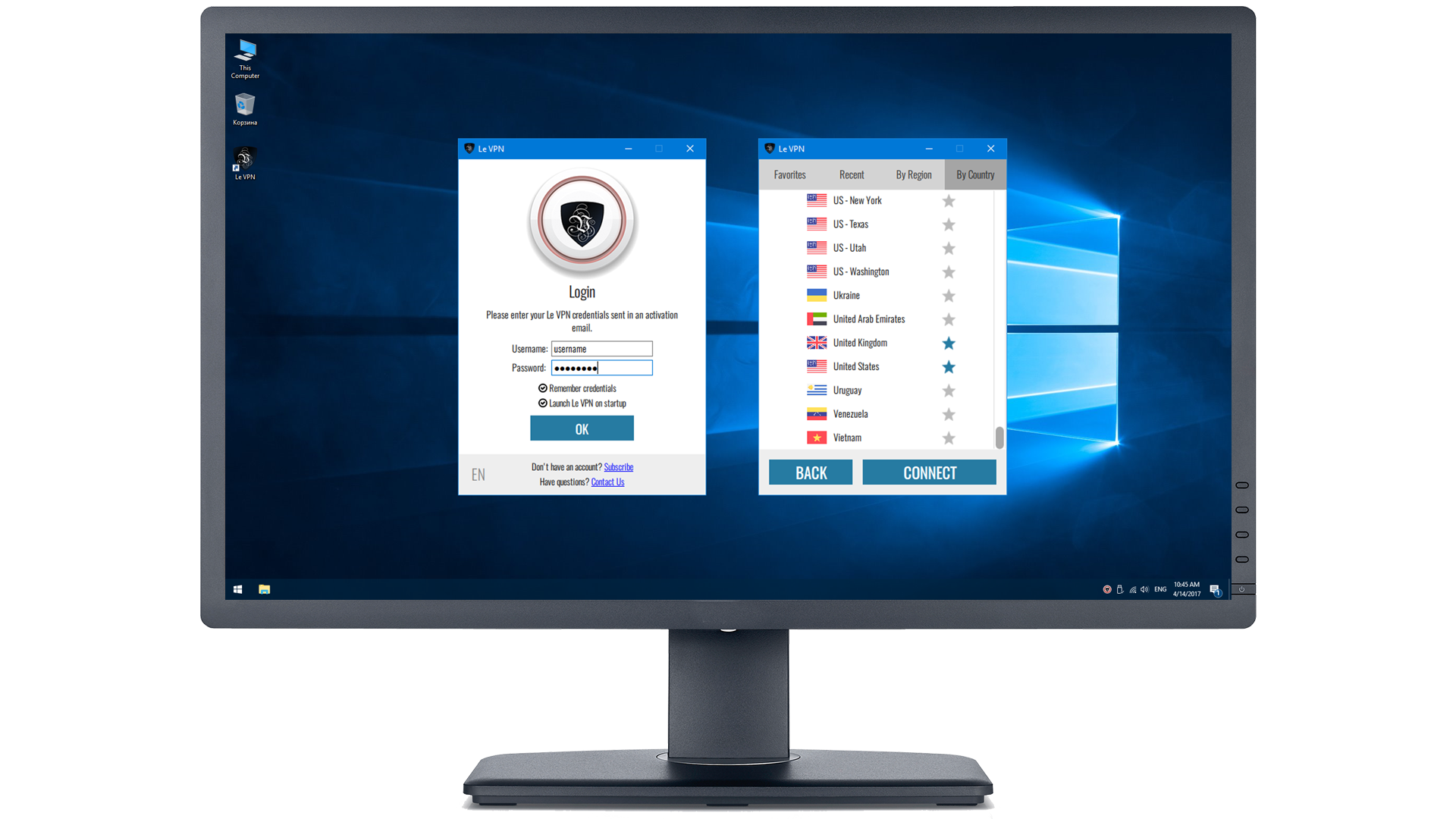
The current Le VPN app for Windows was built from the ground up as a modern application: lighter, faster and more secure than its predecessor. Its features include:
- 1-click connection and disconnection - pick a server, click, you're protected;
- Server selection in 100+ locations, organized by Favorites, Recent, Region and Country;
- Stealth WireGuard protocol support - obfuscated VPN traffic that gets through deep packet inspection on restrictive networks and in censored countries;
- Block Online Threats - DNS-level protection that stops known malicious domains before they load;
- Allow local connections - keep printers, Chromecast and other local-network devices reachable while the tunnel is up;
- Tray icon with connection state - quick connect/disconnect and instant access to your recent servers without opening the full window.
The app is available to all new and active Le VPN clients. A legacy Windows application also remains available for users who need OpenVPN or L2TP with an app-level kill switch - and note that WireGuard-family protocols effectively provide kill-switch behaviour at the protocol level anyway: if the tunnel drops, traffic is blocked automatically rather than leaking.
Every Le VPN account covers up to 10 simultaneous connections, so your Windows PC, laptop, phone and tablet can all be protected at once, with no throttling and no data caps.
Why Do You Need a VPN for Your Windows Computer?
The rise of organised cybercrime is only one of the reasons cybersecurity belongs at the top of your list. Loss of privacy is another: your ISP and every network you join can observe your browsing, and your IP address ties it all back to you. Then comes loss of data - from surfing habits harvested for profiling all the way to credential theft, identity fraud and corporate spying.
VPN technology - the “virtual private network” - was created alongside the modern internet to secure the communications of governments and corporations. Services like Le VPN put that same protection in everyone’s hands.
Here’s what happens when you click Connect: the app builds an encrypted tunnel from your computer to a Le VPN server, using modern protocols such as WireGuard, OpenVPN or Stealth WireGuard. Your data is encrypted before it leaves your machine, so nobody along the way - a snooping hotspot, a nosy ISP, an attacker on the café Wi-Fi - can read it or trace it. On the far side, the internet sees the VPN server’s IP address instead of yours, effectively geo-masking your computer and unlocking geo-restricted content from wherever the server sits. You can watch the switch happen on the IP test page.
What You Can Do With It
- Secure online banking and shopping on any network, including public Wi-Fi;
- Mask your IP address and browse without handing your location and identity to every site;
- Avoid bandwidth throttling - encrypted traffic can't be singled out by type and slowed;
- Escape geo-targeting and geo-restrictions, from region-locked video to country-specific pricing;
- Watch TV from around the world - connect to a server in a broadcaster's home country and stream as a local (UK television via any UK server, for instance);
- Sidestep censorship - with Stealth WireGuard for networks that try to block VPNs themselves;
- Keep your personal data out of collection pipelines run by advertisers and data brokers.
How to Choose the Best VPN for Windows
Judge any Windows VPN on four things: modern protocols (WireGuard and OpenVPN, not just legacy options), a real server network (Le VPN: 100+ locations across the Americas, Europe, the Middle East, Asia-Pacific and Africa - browse the full list), software that ordinary humans can use (one click, sensible defaults, automatic startup connection), and a provider with a clear paid business model rather than a “free” service monetising your data.
Le VPN checks all four, and getting started takes minutes: join Le VPN, download the Windows app, log in with your VPN credentials, choose a country and click Connect. Your first purchase is covered by a 30-day money-back guarantee, so you can put the best VPN for Windows through its paces entirely risk-free.
About the author

Guest Author
Vuk Mujović is the founder of MacTíre Consulting, an analyst, data management expert, and a long-term writer on all things business & tech. He authored blogs, articles, and opinion pieces aimed to help both companies and individuals achieve growth without compromising their security.
Articles by Vuk Mujović →
