What is the Internet of Things and How it Works
While you read this article, your device has already read it — parsed the page, fetched its resources, reported back to a dozen servers. And your device is not alone. The number of people online grows steadily, but the number of things online grows far faster: tens of billions of devices now exchange data over the internet with little or no human involvement. That, in a sentence, is the Internet of Things.
What Is the Internet of Things?
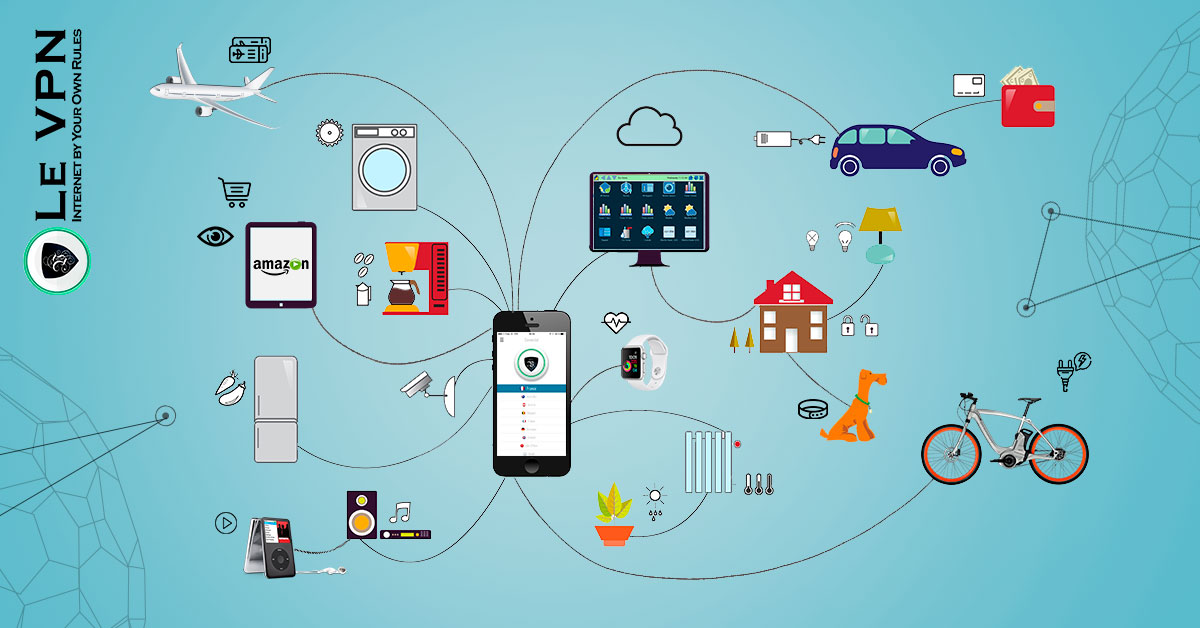
The Internet of Things (IoT) is the network of physical devices — beyond classic computers — that connect to the internet to send and receive data: smart TVs, speakers, watches, thermostats, security cameras, doorbells, printers, light bulbs, refrigerators, cars. The idea was theorized back in the late 1990s, and it has more than come to fruition: in the developed world, a typical home now contains more connected “things” than connected people.
What makes a device “smart” is autonomy. You don’t instruct your smart thermostat every hour; it senses, decides and reports on its own. Your phone — the IoT hub most of us carry everywhere — constantly fetches updates, syncs data and talks to nearby devices without asking. That convenience is the entire point of IoT: devices handling the mundane so we can focus on the interesting.
How It Works: From Data to Information
It helps to distinguish data from information. Data is a raw reading — a temperature, a location ping, a timestamp. Information is data placed in context, ready to guide action. IoT devices are sensors and messengers: they collect data and pass it upward — usually through a hub device like your phone or router, then to cloud services — where it’s aggregated into information about how you live: when you’re home, what you watch, what you buy, where you go.
That flow is also the risk map. Every hop — device to hub, hub to router, router to cloud — is a place where data can be intercepted, and every poorly secured gadget is a possible entry point. It’s worth remembering that all your home devices typically share one IP address: the attacker who compromises your smart plug is standing inside the same network as your laptop and your phone.
Why IoT Security Matters More Than It Seems
“Who cares if someone sees my fridge temperature?” — the classic objection, and the classic mistake. IoT attacks rarely target the gadget for its own sake:
- Stepping stones. A weak device is a beachhead for reaching the valuable devices on the same network — the laptop with your banking, the phone with your email.
- Botnet recruitment. Hijacked cameras and routers power some of the largest DDoS attacks ever recorded; owners rarely notice their gadget moonlighting for criminals.
- Surveillance. Devices with microphones and cameras can be turned into listening posts — a concern brought into public consciousness by the surveillance scandals of the last decade, and still relevant every time a camera ships with a default password.
- Profiling. Even "boring" telemetry, aggregated, paints an intimate portrait of your household for anyone — corporate or criminal — positioned to collect it.
Protecting Your Data and Information on IoT Devices
1. Update everything — including firmware
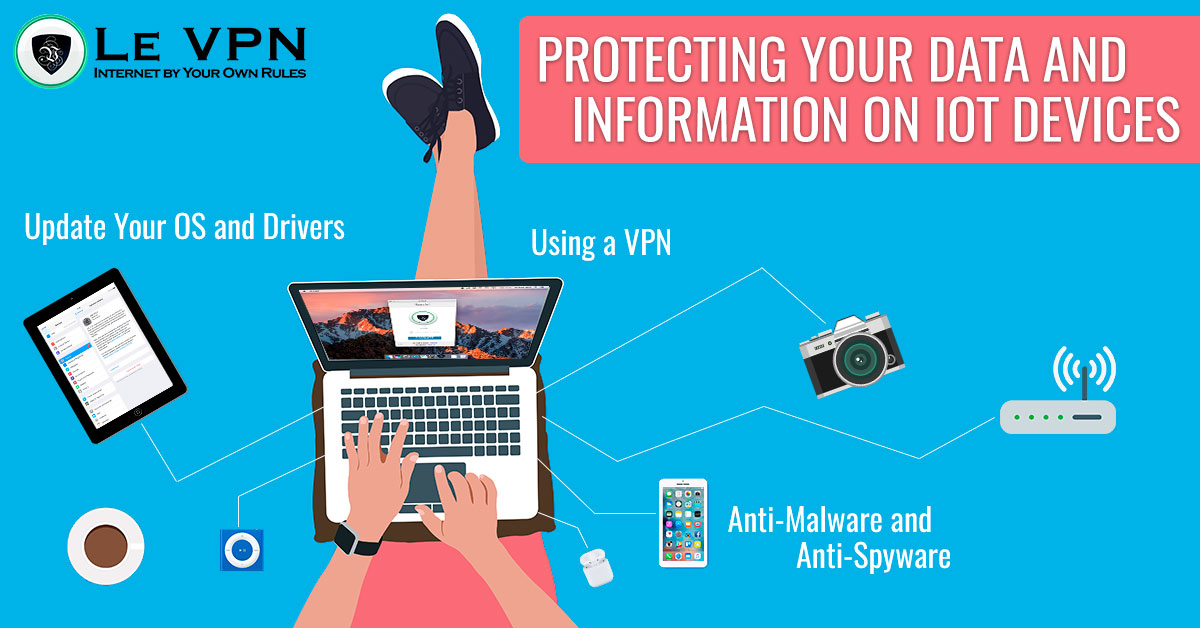
All software has bugs, and IoT firmware is no exception; the difference is that gadget makers patch quietly and users rarely install. Check for firmware updates on your router first (it guards everything else), then cameras, TVs and the rest. While you’re in the settings, change every default password — default credentials are the single most exploited weakness in consumer IoT.
2. Run real security software on the hub devices
Your computers and phones are the “master devices” through which most IoT traffic and control flows, so protect them properly: reputable anti-malware, sensible app permissions, and skepticism toward unknown downloads. A clean hub can’t pass infections down the chain — many IoT compromises arrive via a compromised phone app rather than a direct attack on the gadget.
3. Use a VPN
A VPN attacks the problem at the network layer. It encrypts traffic between your device and the VPN server and replaces your real IP address with the server’s, which does two things for IoT security: eavesdroppers on the network can no longer read or tamper with the data your devices’ hub sends, and outside observers lose the “who and where” that turns collected data into usable information about you.
Le VPN uses modern protocols — OpenVPN, WireGuard, Stealth WireGuard and IPSec/IKEv2 — through servers in 100+ locations, with apps for Windows, macOS, iOS and Android and up to 5 simultaneous connections per account, so the laptop, phone and tablet that orchestrate your smart home are all covered. The apps also include DNS-based threat protection that blocks known malicious domains — one more tripwire between your gadgets and the servers criminals control. The mobile benefit matters too: the phone that manages your smart home from a café’s open Wi-Fi is protected there, instead of carrying something nasty back to the house. You can check what the outside world sees of your connection any time at the IP test page.
Conclusion
The Internet of Things is not coming; it’s installed, plugged in and chatting away in your living room. Treat your devices a bit like domestic animals: genuinely useful, occasionally messy, and dependent on you for protection. Keep firmware updated, kill the default passwords, guard the hub devices — and keep your connection encrypted. Get Le VPN and put the network layer under your command; your first purchase is covered by a 30-day money-back guarantee.

