Watch TV Online Anywhere in the World with Le VPN
There’s always a show everyone is talking about — and nothing is worse than being abroad when a new season drops and discovering your streaming service won’t play it. Whether you’re travelling for work, on holiday, or living overseas for a while, the TV you watch at home has a habit of vanishing behind a “not available in your region” message the moment you land. The fix is simple: watch TV online anywhere in the world with Le VPN.
Why TV is locked to your location
Studios and broadcasters sell streaming rights territory by territory. The service that carries a hit series in the US usually isn’t the one that carries it in France or Australia, and each service’s contract only covers its own country. To enforce this, every streaming platform looks at your IP address — the giveaway of which country you’re connecting from — and blocks or changes its catalogue accordingly.
That’s why BBC iPlayer only plays for viewers who appear to be in the UK, why national broadcasters across Europe restrict their online players to domestic audiences, and why a subscription you happily pay for at home can refuse to work from a hotel room abroad. Nothing is wrong with your account — your IP address is just on the wrong side of a licensing map.
How Le VPN puts you back in the right country
A VPN (virtual private network) routes your connection through an encrypted tunnel to a server in a location you choose. Streaming services then see the server’s IP address, not yours. Connect to a server in your home country, and your usual services work exactly as they do on your own sofa. With servers in 100+ locations across the Americas, Europe, the Middle East, Asia-Pacific and Africa, you can pick almost any country on the map with one tap.
Getting set up takes minutes:
- Sign up for Le VPN and install the app on your device.
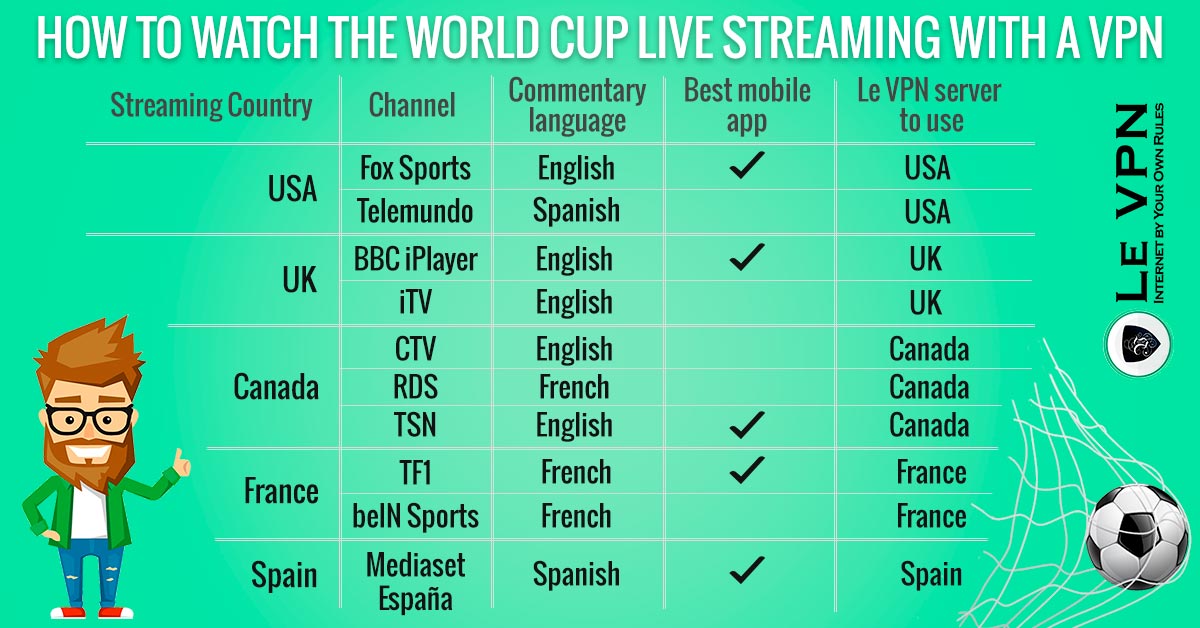
- Choose a server in the country whose TV you want — the US for American services, the UK for British catch-up TV, and so on.
- Connect, open the streaming service, and press play.
For UK television specifically, Le VPN’s support team confirms BBC iPlayer and ITV work with any UK server; Channel 5 works via the Celesterra server; and Channel 4 works via Celesterra or London in a desktop web browser only. If ITV or Channel 4 misbehave, switching to the Coventry server usually sorts it. For Swiss channels like rts.ch, use the Switzerland - Media server.
Every screen you own
Le VPN works on all the devices you actually watch on. There are apps for iOS, Android — including Android TV — Windows, and macOS, and one account allows up to 5 simultaneous connections, so the TV in the living room, the tablet in the kitchen, and your phone can all be connected at once. For devices that can’t run a VPN app directly, Le VPN also offers HybridVPN with SmartDNS, a DNS-level option for geo-restricted streaming, and the service can be set up on a compatible router to cover the whole household.
Speed matters for streaming, and modern protocols like WireGuard keep the connection fast enough for smooth HD playback rather than the buffering older VPN technology was known for.
Privacy, wherever you press play
The same encrypted tunnel that changes your virtual location also protects everything else you do online. On hotel and airport Wi-Fi — precisely where travellers do most of their streaming — Le VPN keeps your logins, messages, and browsing unreadable to anyone else on the network. You can see exactly what location and IP address websites see for you with the IP address test page, and read about the many other benefits of a VPN.
So don’t miss another episode of the show everyone’s discussing. Sign up to Le VPN today — with a 30-day money-back guarantee on your first purchase — and enjoy the true freedom of the internet, even when you’re thousands of miles from home.

