
Unblock Netflix Anywhere
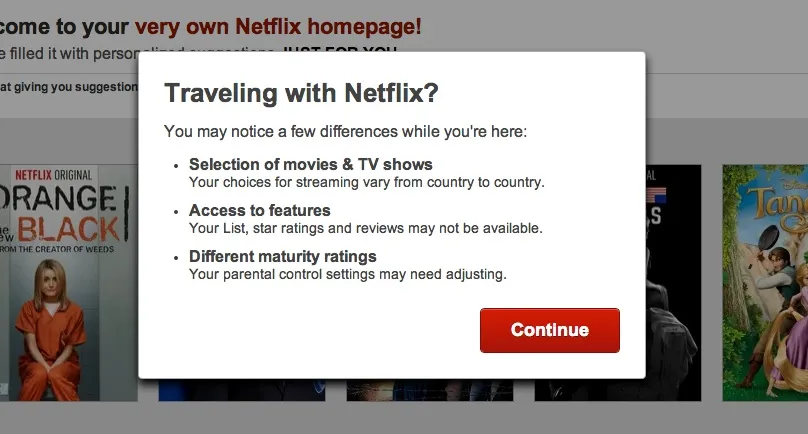
You pay for a Netflix subscription, and at home it works beautifully - films and shows on your TV, laptop, and phone whenever you want them. Then you travel, open the app in a hotel room, and something is off. The interface looks familiar, but the catalog isn’t the one you know: shows are missing, your list has gaps, and the series you were halfway through may be nowhere to be found.
Nothing broke. Netflix simply looked at your IP address, determined which country you’re in, and switched you to that country’s version of the service - automatically, and with no way to choose otherwise. If you’d rather keep the Netflix you actually subscribed for, the answer is to control what your IP address says. That is precisely what a VPN does.
Why Netflix Changes from Country to Country
Netflix does not own most of what it streams. Films and series are licensed from studios and distributors, and those licenses are sold territory by territory: a studio may sell a show’s streaming rights to Netflix in one country and to a rival broadcaster in another. The result is that every country gets a different catalog, and titles appear and vanish as deals begin and expire - often without any notice to you.
For a viewer this produces two recurring frustrations:
- Traveling changes your library. Cross a border and your subscription silently morphs into the local edition, regardless of what you were watching.
- Titles disappear mid-series. When a license lapses in your region, the show drops out of your catalog - even though it may still be streaming normally somewhere else.
None of this involves your account, your payment, or your device. It is decided entirely by the country your IP address places you in.
How to Unblock Netflix Anywhere with Le VPN
A Virtual Private Network routes your internet connection through a server in a country you choose, and the websites you visit see that server’s IP address instead of your own. Connect to a server in your home country, and Netflix sees a local viewer again - wherever in the world you actually are.
With Le VPN the routine takes moments:
- Install the Le VPN app on your devices - Windows, macOS, iOS, and Android are all supported, with up to 10 simultaneous connections on one account.
- Connect to a server in your home country. Le VPN operates servers in 100+ locations across the Americas, Europe, the Middle East, Asia-Pacific and Africa, so your home base is almost certainly on the list.
- Open Netflix and watch as usual. If the app was already open, restart it so it re-checks your location. You can verify which country your connection now shows on the test your IP address page.
The same approach keeps the rest of your digital life consistent while you travel: catch-up TV, sports platforms, and other streaming services all use the same IP-based geolocation, and all respond to the same fix.
Streaming Needs a VPN Built for Streaming
Video is the most demanding thing most people do online, and it exposes weak VPNs instantly - buffering, resolution drops, disconnects mid-episode. When choosing a VPN for Netflix, look for:
- Speed. Le VPN supports WireGuard and OpenVPN, modern protocols fast enough that HD streaming feels no different through the tunnel.
- Server choice. More locations mean more flexibility - and quick alternatives if any single server is busy.
- Multi-device support. Your account should cover the TV setup at home and the phone in your pocket at the same time.
- A real privacy benefit on top. The encryption that carries your stream also protects everything else you do on hotel and airport Wi-Fi - the networks where travelers are most exposed.
This is also why free VPNs disappoint for streaming: without real infrastructure, they cannot sustain video bandwidth, and their business models tend to monetize your data instead of protecting it.
Take Your Subscription with You
You paid for your streaming - there’s no reason a border should quietly rewrite what you get for it. With Le VPN, your home internet travels in your pocket: connect to a home-country server, open Netflix, and pick up exactly where you left off.
Explore all of Le VPN’s features, and try the full service with confidence: every first purchase is covered by a 30-day money-back guarantee, which is more than enough time to put it through a proper binge-watching road test.
About the author
Le VPN Blog Editor
Alan Summers has been writing and editing for the Le VPN blog for years, covering online privacy, cyber security, and the best ways to get the most out of a VPN. He keeps a close eye on the news that affects internet freedom around the world and turns it into practical advice for Le VPN readers.
Articles by Alan Summers →
