How to Stay Safe From Facebook Scammers
With billions of users, Facebook is the biggest gathering place humanity has ever built - so it isn’t surprising that it also attracts more attempted online scams than almost anywhere else on the internet. Security researchers have consistently ranked social media scams among the most common attack methods online, and Facebook, as the largest network, gets the lion’s share. Knowing how to stay safe from Facebook scammers is essential, because the scams come in many forms - and not all of them are easy to spot.
The Classic Facebook Scams to Watch For
Fake Giveaways and Brand Impersonation
The most common scams - and the hardest to detect if you’re not especially tech-savvy - are pages advertising free flights, tickets, or gift cards, supposedly from recognised brands. A famous early example promised free business-class flights from Qantas: all you had to do was fill in a survey. The page had nothing to do with the airline - it was a phishing operation harvesting personal data. The formula hasn’t changed in a decade: scammers set up a bogus page, farm likes and shares to look legitimate, then funnel visitors through a link to a site where their information - or payment details for a “small shipping fee” - is stolen.
Clickbait That Turns Malicious
Clickbait links - complete with cute animals, shocking headlines, and funny memes - are engineered to gather idle clicks. From there, users can be exposed to viruses, worms, trojans, spyware, and ransomware. A particularly sneaky variant starts out entirely harmless: the post builds up thousands of genuine likes and shares first, and only once it has enough reach is the content or destination link flipped to something dangerous. That’s why “it has loads of likes” is no guarantee of safety.
Quizzes and Data-Harvesting Apps
Not every scam steals money directly - some steal you. Quiz and personality-test apps ask you to sign in with Facebook and grant access to your name, date of birth, gender, friend list, and more, with terms and conditions that explicitly allow passing your details to third parties. Millions of people sign up in exchange for a humorous result. That data is invaluable to advertisers - and to identity thieves, who can use birthdays and personal trivia to answer security questions and crack accounts.
Cloned Profiles and Messenger Scams
Scammers copy a real person’s photos and name, create a duplicate profile, and message that person’s friends - asking for urgent money transfers, sharing “is this you in this video?” phishing links, or touting fake investment opportunities. Because the message appears to come from someone you trust, these scams have an alarmingly high success rate. Add Marketplace fraud - goods paid for and never shipped, or fake payment confirmations sent to sellers - and romance scams, and Messenger is as dangerous as the news feed.
How to Protect Yourself
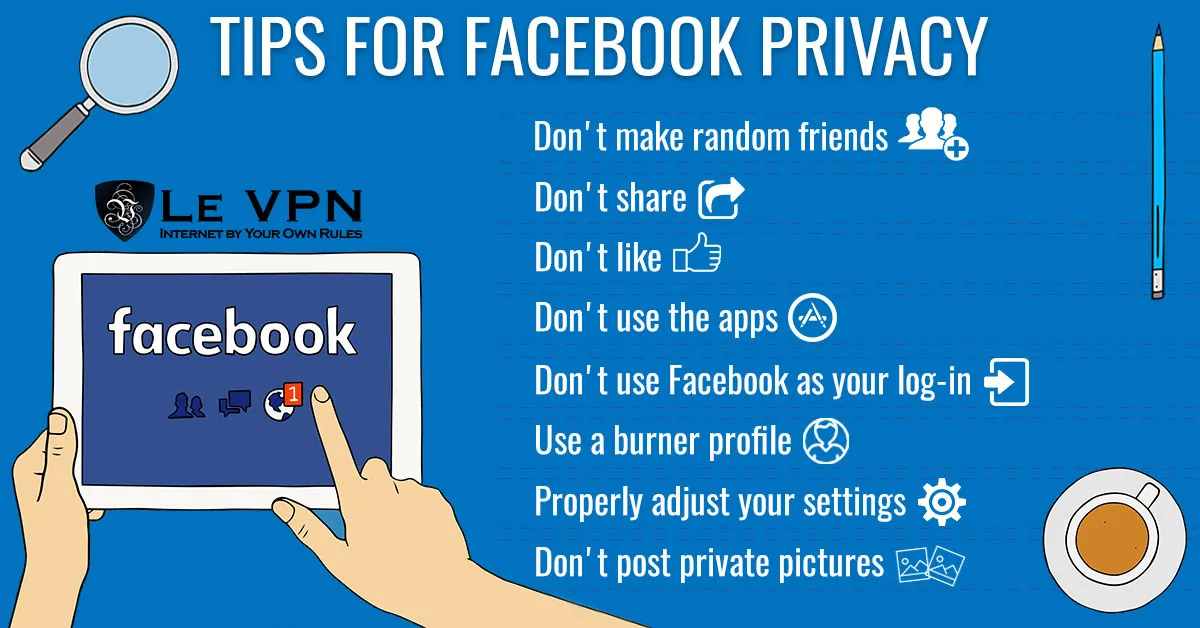
- Be sceptical of every link, even ones with hundreds of thousands of likes and shares. Check the actual URL before clicking, and never enter credentials on a page you reached from a post or message.
- Apply the golden rule: if something seems too good to be true, it almost certainly is. No airline gives away business-class flights for a survey.
- Don't authorize quiz apps. No personality test needs your friend list. Review the apps connected to your account in Facebook's settings and remove anything you don't actively use.
- Verify unusual requests personally. If a friend messages asking for money or sends a strange link, contact them through another channel first. If someone who is already your friend sends a new friend request, their profile has probably been cloned - report it.
- Lock down your account. Use a strong, unique password, enable two-factor authentication, and set your posts and friend list to private - the less scammers can see, the harder you are to impersonate or profile.
- Keep your defences current. An up-to-date browser and reputable anti-malware software will catch many malicious payloads before they run.
Add a Layer of Protection With Le VPN
Careful clicking protects you from scam content; a VPN protects the connection underneath. When you browse Facebook through Le VPN, your traffic travels through an encrypted tunnel, which means nobody on a public WiFi network - a favourite hunting ground for session hijackers - can intercept your login or snoop on your activity. Your real IP address stays hidden behind one of Le VPN’s servers in 100+ locations worldwide (see the list), making you a much harder target to profile and track. You can verify the mask is working on the IP address test page.
Le VPN’s mobile apps also include DNS-based Threat Protection, which blocks connections to known malicious domains - a valuable safety net if a scam link does get clicked - and Breach Detection, which warns you if your email address turns up in leaked credential databases. One account covers up to 10 devices with apps for Windows, macOS, iOS, and Android, and every first purchase comes with a 30-day money-back guarantee.
Scammers go where the people are, and the people are on Facebook. Stay alert, share less, verify more - and keep your connection encrypted with Le VPN.
About the author
Le VPN Blog Editor
Alan Summers has been writing and editing for the Le VPN blog for years, covering online privacy, cyber security, and the best ways to get the most out of a VPN. He keeps a close eye on the news that affects internet freedom around the world and turns it into practical advice for Le VPN readers.
Articles by Alan Summers →
