Cybersecurity: what is ahead of us?
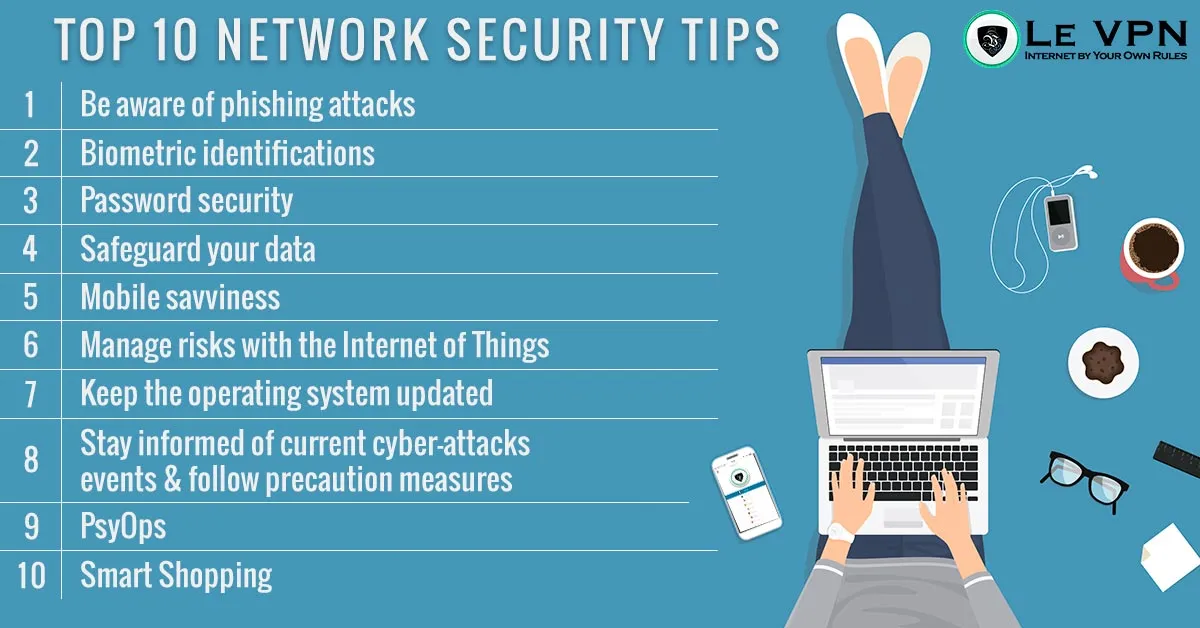
Every year, security researchers publish their predictions, and every year the headline is depressingly similar: cybercrime keeps growing. The tools change, the targets shift, but the underlying trend has pointed the same way for a decade. So what is actually ahead of us in cybersecurity - and, more usefully, what can an ordinary internet user do about it?
The Threats That Keep Getting Bigger
Phishing, now with better bait
Phishing remains the front door for most attacks, from personal account takeovers to breaches of political parties and multinational companies. What has changed is the quality. The clumsy, typo-ridden scam email is giving way to fluent, personalised messages - increasingly written with the help of AI tools - that convincingly imitate your bank, your boss or a delivery service. Voice and video impersonation scams have joined the arsenal. The old advice (“look for bad spelling”) no longer works; the new rule is to treat every unexpected request for credentials, payments or urgent action as suspicious, no matter how polished it looks, and to verify through a separate channel.
Ransomware as an industry
Ransomware - malware that encrypts your files and demands payment to unlock them - has matured from opportunistic crime into a service economy, complete with affiliates, negotiation portals and double extortion (pay or your data gets leaked). Hospitals, city governments, small businesses and home users have all been hit. The defence hasn’t changed: keep offline backups of anything you can’t afford to lose, keep software updated, don’t open unexpected attachments, and never assume paying will actually restore your files. Initiatives like Europol’s No More Ransom project offer free decryption tools for some strains - worth checking before anyone considers paying.
Botnets and the Internet of Things
The 2016 attack on DNS provider Dyn - which briefly knocked Twitter, Amazon, PayPal and Spotify offline using a botnet of hijacked cameras and routers - was an early warning of what poorly secured connected devices make possible. Since then the number of IoT devices has exploded into the tens of billions, and many still ship with default passwords and no update mechanism. Expect record-breaking DDoS attacks to keep making headlines. Your part in the defence is simple: change default passwords on every router and smart device you own, and install firmware updates.
Your phone is the new target
Smartphones concentrate everything attackers want - banking apps, email, photos, two-factor codes - in one device that we install apps on without much thought. Malicious apps, fake versions of popular games, SMS phishing (“smishing”) and malicious Wi-Fi hotspots are all standard tools now. Criminals particularly like mobile because a compromised phone often walks straight into a corporate network the next morning. Stick to official app stores, check app permissions, and be wary of anything that arrives by text message.
How to Prepare for What's Ahead
The uncomfortable truth is that you can’t control whether the services you use get breached. You can, however, dramatically shrink your personal attack surface:
- Use unique, strong passwords with a password manager, and turn on two-factor authentication everywhere it's offered.
- Update everything - operating systems, browsers, apps, router firmware. Most successful attacks exploit vulnerabilities that were patched months earlier.
- Back up your important files to a drive or service that isn't permanently connected to your computer.
- Think before you click - on links, attachments, QR codes and "urgent" messages of every kind.
- Limit what you share. Every piece of personal information you post is raw material for targeted scams.
- Encrypt your connection. Public Wi-Fi at airports, stations, hotels and cafés remains a favourite hunting ground for data thieves.
Where a VPN Fits In
A VPN won’t stop you from opening a bad attachment, but it closes an entire category of risk. Le VPN encrypts your internet connection with strong modern protocols - OpenVPN, WireGuard, Stealth WireGuard and IPSec/IKEv2 - so that nobody on the network, from a rogue hotspot operator to a nosy ISP, can read or tamper with your traffic. It hides your real IP address behind servers in 100+ locations worldwide, and the apps include DNS-based threat protection that blocks known malicious domains before they load.
One subscription protects up to 10 devices simultaneously - your laptop, your phone and the rest of the household - and you can check what the internet sees about you at any time on the IP test page.
Whatever the next year of cybersecurity headlines brings, the fundamentals above will cover most of it. Start with the easy win: get Le VPN and make your connection private by default - with a 30-day money-back guarantee on your first purchase.
About the author
Le VPN Blog Contributor
Julie Perrin writes for the Le VPN blog on online privacy, security, and the practical side of using a VPN day to day. Her articles help readers make sense of digital security topics and get the most out of their VPN connection.
Articles by Julie Perrin →
