PPTP on iPhone, iPad & iPod: No Longer Supported
Apple removed the built-in PPTP VPN option from iOS starting with iOS 10 in 2016, due to security weaknesses in the protocol. Every iOS version since - including the iOS 16+ required by the current Le VPN app - has no native PPTP option in Settings. Here's what to use instead.
Why PPTP setup instructions won't work on your iPhone
This page used to explain how to configure PPTP through iOS's VPN settings. That option no longer exists - Apple pulled native PPTP support from iOS and macOS back in 2016 (iOS 10 / macOS Sierra) because of well-documented security flaws in the protocol, and it has not returned in any release since. If you go to Settings > General > VPN on a current iPhone or iPad, you will not find PPTP as an option.
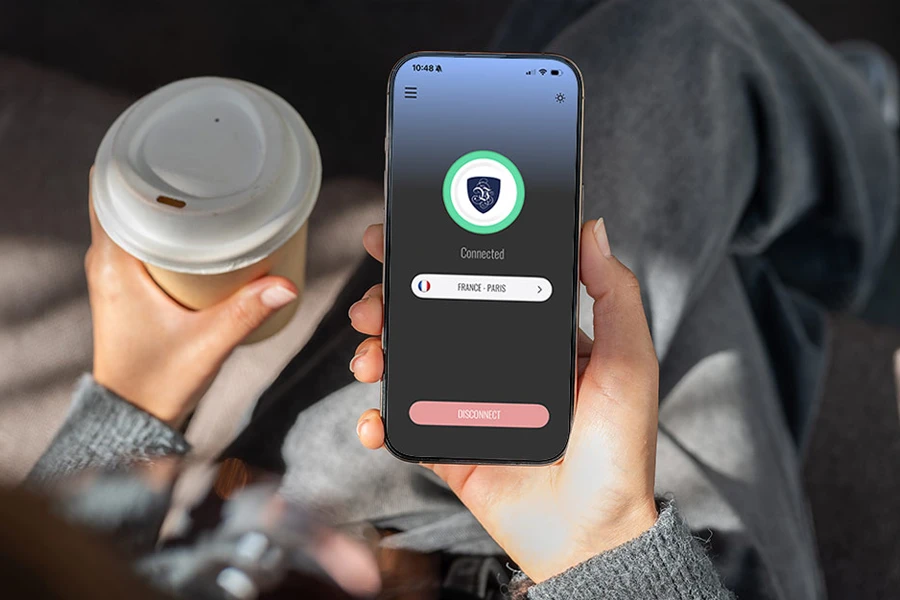
The good news: PPTP was never a great choice anyway. The current Le VPN app for iOS (requires iOS 16 or later) gives you Wireguard and Stealth Wireguard as the best choice, plus IPSec and IKEv2 as solid alternatives - all more secure and, unlike PPTP, actually set up automatically. Download the app, sign in with your VPN credentials, pick a server, and tap Connect.
Need a manual VPN profile instead? Use L2TP
If you specifically need to configure a VPN by hand through iOS Settings rather than using the app - for example on a device that can't run the current app - iOS still supports L2TP/IPSec as a manual option, and we support it fully.
1
Add a VPN configuration
Open Settings > General > VPN & Device Management > VPN, tap Add VPN Configuration, and choose L2TP as the type.
2
Fill in the fields
Enter a Description (e.g. "Le VPN"), a server address in the format country-code.zeropointer.net (e.g. uk.zeropointer.net), your VPN username and password, and levpnsecret as the Secret.
3
Save and connect
Tap Done to save, then switch the toggle next to your new profile to ON. For the full walkthrough, see our dedicated L2TP setup guide for iOS.
Once connected, confirm it worked by checking your IP address - it should show the VPN server's location, not your own.
Finding your VPN credentials
VPN connection credentials
Used to connect via iOS VPN settings or the Le VPN app. Sent to your email when you activated your account - not the same as your client area login. Forgot them? Log into the client area and use the menu to view or reset your VPN password.
Client area login
The email and password you use to sign into le-vpn.com/clients to manage your subscription and view server locations. Forgot it? Reset your client area password here.
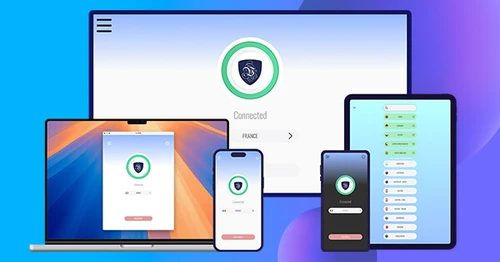
Download the latest Le VPN app for all devices




Also available on


30-Day Money-Back Guarantee
Try Le VPN risk-free! If you're not satisfied within the first 30 days, let us know and we'll refund your money.