Bypassing a Proxy or Firewall with a VPN
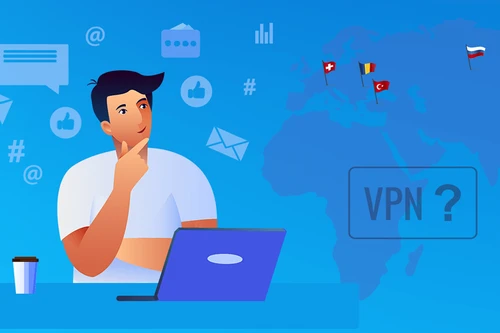
A proxy or firewall lets whoever runs the network decide what you can reach. Le VPN wraps your entire connection in an encrypted tunnel, so blocked sites open and your traffic stays private - even on a filtered network.
- Reach sites your proxy or firewall blocks
- Encrypts every app, not just your browser
- Stealth protocol works on networks that block VPNs
- Strict no-logs policy - nobody sees your traffic
- 30-day money-back guarantee - try risk-free
What a VPN does
Virtual Private Networks (VPNs) provide an additional measure of privacy when you're accessing the internet over a public or unsecured Wi-Fi connection by allowing you to bypass network proxy servers or firewalls and access websites that may be blocked due to censorship securely and through an encrypted connection.
A VPN can be used to bypass a proxy server or firewall and prevent your computer from being directed to a site it doesn't want to visit. This action provides an additional measure of security for anyone using a public Wi-Fi connection or any other unfamiliar network. With Le VPN, you can not only bypass a proxy server, but you'll also gain additional peace of mind by knowing that your data is fully encrypted to the highest standards on the market today. Even if you do get routed through a proxy, your data will be unrecognizable and unusable to hackers.
Why are proxies used?
Proxies are used to redirect web traffic. They act as an intermediary between your computer and the internet. When you connect to a proxy server and then input a website URL, your request to visit that site goes through your proxy server, which then processes the website and returns it to you.
A helpful analogy is an interaction between you, a waiter and a chef. When you place your order, or URL request, the waiter, or proxy server, retrieves and delivers your order from the chef, or the website provider. Proxies also give you anonymity when browsing the web, because it's the proxy's IP address that's used rather than your own device's.
Many organizations use proxy servers to manage data, restrict access to dangerous sites and improve performance - but proxies can also pose a security risk. A hacked proxy can send an unsuspecting user to a fake banking site that phishes for their card details. Schools and governments also use proxies to censor and block content. In short, a proxy can either let you reach blocked content anonymously or stop you from viewing it - it all depends on who controls the server.
Proxy servers vs. firewalls
Firewalls are another network security device similar to proxies but with a few functional differences. Both are used to limit access to websites and block programs. While a proxy redirects web traffic, a firewall stops it completely. For this reason, firewalls can be effective at preventing users from visiting dangerous websites or potentially compromising security.
A helpful way to differentiate between proxy servers and firewalls in their use for blocking websites and programs is to view proxy servers as a filter while firewalls are a wall against designated sources.
Firewalls are also used to block access to sites such as Facebook and to impose geographic restrictions on certain content, such as limiting a streaming library to people currently browsing inside one country. Whatever the reason for these restrictions, they represent a real limitation for users who simply want to visit the sites they know and love.
Why use a VPN to bypass proxy servers and firewalls?
A common approach for people new to bypassing proxies or firewalls is to connect to a different proxy server and adjust their browser's proxy settings. The challenge is that lists of blocked sites are updated constantly, so finding a working proxy becomes a moving target.
Free proxy servers are also often not as free as they appear. The host of the server can view your browsing data, which is unencrypted and less secure than a VPN. Your data can then be sold to interested parties, such as advertisers. Proxy connections tend to be slower too, and rarely let you choose your server's location - whereas a VPN lets you pick the region, which can speed up loading and downloads.
Proxy servers also work on an application-by-application basis: connecting through your browser doesn't cover background apps like an online game. A VPN, in comparison, encompasses your entire network activity. Because of these drawbacks and risks, people eventually choose to bypass proxies or firewalls with a VPN for its convenience, reliability and stronger security.
Bypass a firewall or proxy in 3 easy steps
Step 1
Sign up for Le VPN
Choose your subscription plan and create your account. Every plan includes a 30-day money-back guarantee.
Step 2
Download the app
Install Le VPN on your computer, phone or tablet from our downloads page. Setup takes less than two minutes.
Step 3
Connect and browse freely
Pick a server, hit Connect, and your traffic tunnels straight past the proxy or firewall - blocked sites open right away.
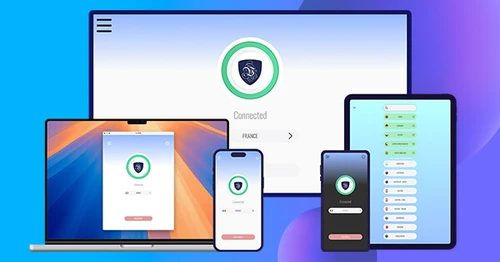
Trusted by 1,000,000+ users
30-Days Risk Free Guarantee
Try Le VPN with no commitment! If you're not satisfied in the first 30 days, let us know, and you'll get your money back.
Download the latest Le VPN app for all devices




Also available on


Quick recap
A proxy or firewall lets whoever runs a network decide which sites and apps you can reach, and often exposes your browsing to whoever hosts it. Le VPN routes your entire connection through an encrypted tunnel, so filtered or blocked sites open, your traffic stays private, and even a proxy in the path only sees unreadable data. Unlike a browser proxy, it covers every app on your device, not just the browser.
- Bypasses proxies and firewalls so sites blocked by censorship or network filters open again
- Encrypts all your traffic, not just the browser - background apps and games are covered too
- Free proxies can log, sell or expose your data; a VPN keeps traffic encrypted with a strict no-logs policy
- Stealth protocol keeps working on networks that actively block VPN connections
- Lets you pick your server region, which proxies rarely allow - often speeding up loading and downloads
- 100+ server locations, up to 10 devices on one account, 30-day money-back guarantee

