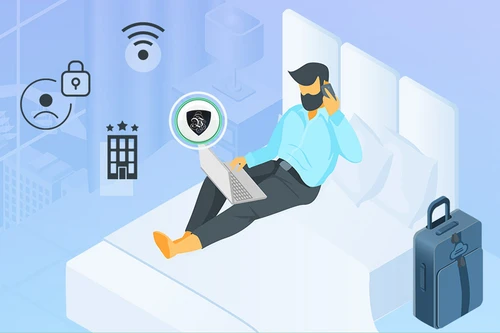
How to Unblock TV Shows with a VPN
Moving away from your home country shouldn't mean saying "goodbye" to your favorite TV show. Connect to a Le VPN server where the channel is available, and that "not available in your country" message disappears.
- Watch home channels and foreign TV from anywhere
- Get around regional sports blackouts
- Servers in 100+ locations, one low-cost plan
- High-speed streaming with no connection limits
- 30-day money-back guarantee - try risk-free
Wondered how to unblock TV shows when you're abroad?
Have you tried watching foreign TV shows online and got a "not available in your country" message? The secret is very simple: you need a VPN. Le VPN reroutes your connection through a server in the country where the show streams, so the broadcaster sees a local viewer and lets you watch. In three easy steps - sign up, install the app, and pick a server - your favorite programming is back within reach, wherever you happen to live or travel.
Beat censorship with a VPN
Have you ever been traveling abroad and wanted to access news and sporting events from your home country, but found that the country you were visiting had strict censorship restrictions? By leveraging a Virtual Private Network, you'll never find yourself in a situation like this again.
Thanks to the technology's ability to let users route their Internet traffic through servers located in other countries, you can watch BBC iPlayer and other online foreign channels from different regions quickly and easily. You can unblock your favorite television channels in the United States, the United Kingdom, and France no matter where you happen to be, and toggle between content in different regions and countries at will.
Live sport, without the blackouts
If a person in the United States was trying to watch a football game that was blocked due to blackout restrictions in their region, he or she could use a VPN and appear to be accessing the Internet from England - and now be able to watch the game online. The Sochi Olympics served as the perfect example: by using our VPN technology, users were able to watch the Olympics live on various networks depending on their preferences. Because of the time difference, curling aficionados in the United States could easily access live feeds from the comfort of their homes. Connect to a server where the event is being broadcast and the blackout simply doesn't apply to you.
Never miss a show again
You can use a VPN to unblock TV shows that otherwise aren't accessible on your country's Internet. This is particularly useful for people who live outside of the United States but want to watch the latest episodes of their favorite shows, either live or replayed from the channel's website. It's just as handy for newshounds who want to access news shows from the BBC, regional NBC affiliates or unblock TF1 outside of France. Rather than being kept in the dark about certain areas of the country or the world, VPN technology lets you access newscasts and entertainment from all corners of the globe, whenever is most convenient.
Unblock any channel in 3 easy steps
Step 1
Sign up for Le VPN
Choose your subscription plan and create your account. Every plan includes a 30-day money-back guarantee.
Step 2
Download the app
Install Le VPN on your TV device, computer or phone from our downloads page. Setup takes under two minutes.
Step 3
Connect and press play
Pick a server in the country where the channel airs, hit Connect, and your show starts streaming.

Trusted by 1,000,000+ users
30-Days Risk Free Guarantee
Try Le VPN with no commitment! If you're not satisfied in the first 30 days, let us know, and you'll get your money back.
Download the latest Le VPN app for all devices




Also available on


Quick recap
This page explains how to unblock TV shows with a VPN when a broadcaster shows a "not available in your country" message. Le VPN reroutes your connection through a server in the country where a channel streams, so the broadcaster sees a local viewer and lets you watch - handy for catching your home channels abroad, reaching foreign channels, getting around regional sports blackouts, and beating censorship while traveling. A valid subscription to the streaming service is still required.
- Connect to a server where a channel airs to get a local IP and clear the "not available in your country" block
- Watch home channels abroad and reach foreign TV like BBC iPlayer and TF1 from other regions
- Get around regional sports blackouts by appearing to stream from where the event is broadcast
- Beat censorship abroad to access news and events from your home country
- Three steps: sign up, install the app, pick a server - setup takes under two minutes
- 100+ server locations, high-speed streaming with no connection limits, 30-day money-back guarantee

