How to watch UK TV in Spain
Getting "not available in your location" when you open iPlayer or ITVX? Nothing is broken. Here's why it happens, and how to get your channels back on the television you already own.
See plans






Why UK television stops working once you move
Your connection tells them you're in Spain
Every internet connection carries an address that shows roughly where in the world you are. When yours says Spain, the BBC, ITV and Channel 4 see Spain - and their agreements only cover the UK, so they stop. It makes no difference how long you've had the account, or that you watched the same programme in Britain last year.
Le VPN gives you a British connection again
Open the app, tap United Kingdom, and from that moment your broadband looks like a British one. UK sites and apps behave exactly as they did at home. Turn it off whenever you want Spanish services back - it takes one tap either way.
Your bank and your pension portal, too
The same thing that blocks iPlayer is usually what's behind your UK bank flagging a login, or a government service refusing to load. Same cause, same fix.
What you'll be watching again
Everything you had at home, on the same accounts you already hold.
BBC iPlayer
Live BBC One and Two, plus the full catch-up library.
ITVX
Live ITV and the whole archive behind it.
Channel 4
What used to be 4oD, now Channel 4's own player.
My5
Channel 5 and its catch-up.
BBC Sounds
The one people forget. Radio 4, Radio 2, 5 Live, the World Service and your old local station. The Today programme and The Archers, back where they should be.
Sport
Premier League, the Test matches, Wimbledon and the Six Nations, on the UK broadcasters you already subscribe to.
BBC iPlayer requires a valid UK TV Licence, and the other broadcasters have their own terms. Le VPN restores your connection; it doesn't change what you're entitled to watch. If you hold a UK Licence, this simply lets you use what you're already paying for.
Which are you watching on?
Phone or tablet
Download the app, open it, tap United Kingdom. That's the whole job.
Laptop or computer
Same three steps, Windows or Mac.
A newer TV with Google TV
Sony, Philips, TCL and Hisense sets mostly run Google TV now. Le VPN installs straight onto the television like any other app. Nothing else to buy.
An Amazon Fire TV Stick
Very common in Spanish homes, and we have an app for it. Plug in, install, connect to the UK.
An older Samsung or LG
These can't run apps, which catches a lot of people out. Plug a small stick into the same television and you keep the set you have.
Mobile data
Works the same on 4G and 5G as it does on your home broadband.
Setting it up takes about five minutes
No settings to change on your television. Nothing to type into your router. Nothing to renew later.
Choose a plan
Pick the length that suits you and create your account. One account covers the whole household.
Download the app
Get it on whatever you're watching on - phone, tablet, laptop, or straight onto the television.
Tap United Kingdom
Open the app and choose the UK from the list. Your channels come back immediately.
Would you rather someone talked you through it? We'll help you set it up.
From British customers living abroad
Try it, and if it doesn't work for you, get your money back
No forms to fill in and no explanation needed. Email us and we'll refund you.
Quick recap
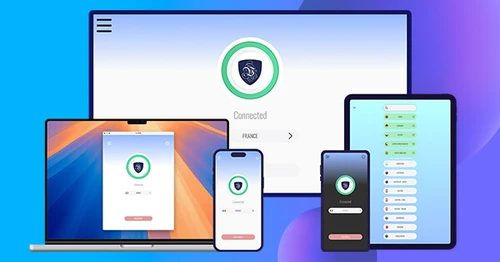
Living in Spain and hitting "not available in your location" on BBC iPlayer or ITVX? That block is based on your Spanish IP address, not your account. Connecting to a UK server with Le VPN gives your device a British IP so UK broadcasters load as they do at home - on the same accounts you already hold and the television you already own.
- Get a UK IP address from Spain so British channels stop blocking you
- Watch BBC iPlayer, ITVX, Channel 4, My5 and BBC Sounds, plus UK sport (Premier League, Wimbledon, the Six Nations) on services you already subscribe to
- A valid subscription or UK TV Licence is still required - the VPN restores your connection, it doesn't change what you're entitled to watch
- Set up in about five minutes: choose a plan, install the app, select United Kingdom
- Works across mainland Spain and the islands on any broadband, in high definition
- 100+ server locations, up to 10 devices on one account, 30-day money-back guarantee
Questions British customers in Spain ask us
Your UK, wherever you are
British television, radio and banking - working the way they did at home.
See plans
