
 Get Le VPN now
A kill switch is a feature in our app which ensures that your device is not communicating on the Internet when your VPN connection drops. When this happens, it will restrict all of your network activity until a secure VPN connection is made.
Le VPN’s kill switch is a great feature to ensure the security and anonymity of your connection are not compromised.
Kill switch may be activated by enabling "Block Internet connection while reconnecting" option in the menu of Le VPN app. To do this, please follow the steps below.
1) Launch Le VPN app, and click on the "..." icon at the top-right followed by "Options".
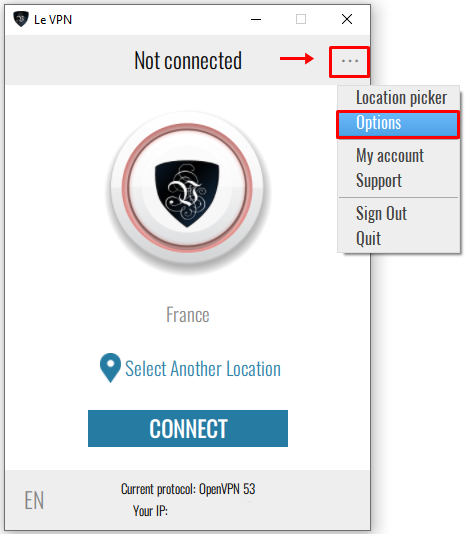
2) At the "General" tab, check on "Block Internet connection while reconnecting".
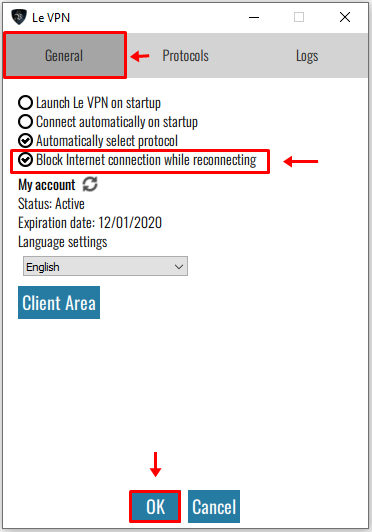
3) Finally, click on "OK" at the bottom of our VPN client app.
If you need any further assistance, please contact us via Live Chat or submit a ticket to our support team.