Welcome to Le VPN!
My Private Network is now part of Le VPN, and every MPN user has already been activated in the Le VPN system. Here's how to upgrade your old VPN installation to the Le VPN apps and services - it takes just three steps.
- Keep the same credentials you used with MPN
- Download, log in, connect - ready in minutes
- Apps for every major platform and device
- Up to 5 simultaneous connections per account
- Servers in 100+ locations worldwide

Your account has already moved across
My Private Network is now a part of Le VPN, and all MPN users have been activated in the Le VPN system automatically. That means there's nothing to re-purchase and no new account to create - you simply switch to the Le VPN apps using the credentials you already have.
The three steps below take you from your old setup to a fully working Le VPN installation in a matter of minutes. If your device isn't covered by the app, there are detailed installation instructions for every supported platform on our downloads page.
Step 1: Download and install the Le VPN app
Download the Le VPN app and install it on any device of your choice - Windows, macOS, iOS, Android or Linux. The app replaces your old My Private Network software and is the fastest way to get connected.
Head to our downloads page, choose the version for your device, and run the installer. There's no additional hardware to buy and no complicated configuration to work through.

Step 2: Launch the app and log in
Open the Le VPN app and log in with your credentials. Find them in the Welcome email you received, and copy-paste them into the corresponding fields - these are the same credentials you were previously using with My Private Network.
If you forgot your credentials or can't log in, you can view them in your Client Area by clicking "View Details" next to the product. The Client Area uses your email and your old MPN password to log in, and you can reset it any time with the "Forgot Password?" link.
Step 3: Pick a country and connect
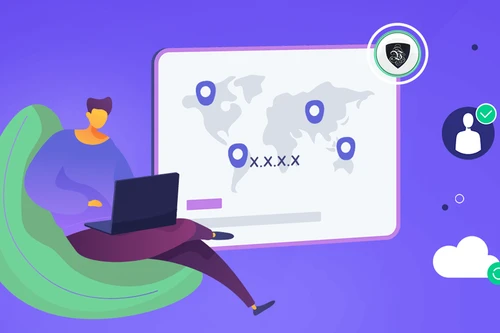
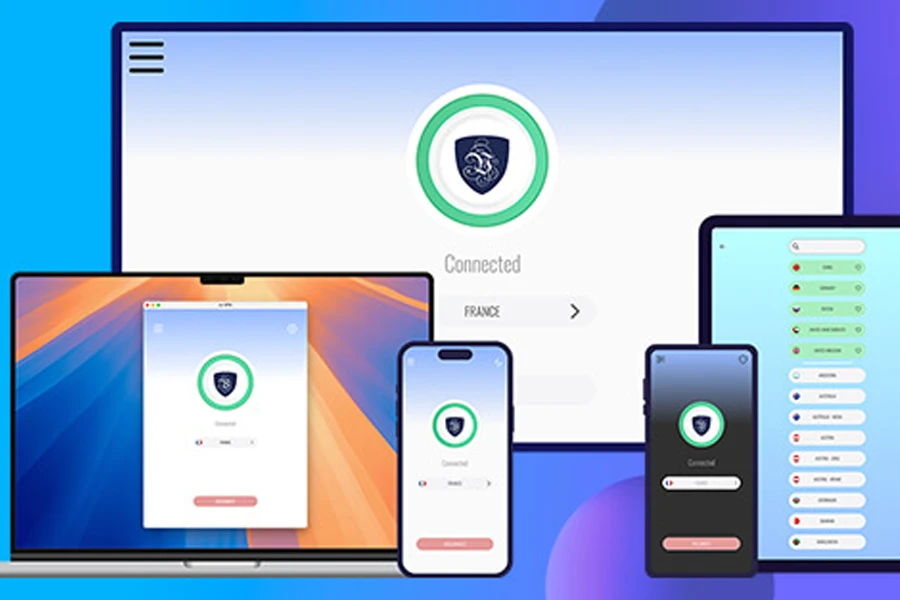
Choose any country you want to connect to and click the Connect button. To change your location, click "Select another location," pick a new server, and press Connect again.
The red Connect button turns green once your VPN is connected. That's it - you're now using a secure, private internet with no geographic restrictions. Simply, the Internet by Your Own Rules.
Tips for the best Le VPN experience
Cover all your devices
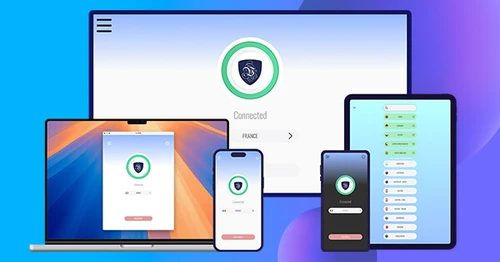
Install Le VPN on as many devices as you want and enjoy up to 5 simultaneous connections on a single account.
Pick the right protocol
Use WireGuard for the best mix of speed and security, or our Stealth option on networks that try to block VPNs.
Help whenever you need it
Check the knowledge base or open a support ticket and our team will help you get connected.
Trusted by 1,000,000+ users
30-Days Risk Free Guarantee
Try Le VPN with no commitment! If you're not satisfied in the first 30 days, let us know, and you'll get your money back.
Download the latest Le VPN app for all devices




Also available on


Upgrading to Le VPN: frequently asked questions
No. My Private Network is now part of Le VPN, and all MPN users have been activated in the Le VPN system automatically. You keep the same credentials you used with MPN - just download the Le VPN app and log in with them to pick up where you left off.
They're in the Welcome email you received - copy and paste the username and password into the matching fields in the app. They're the same credentials you previously used with My Private Network. If you can't find them, you can view them in your Client Area by clicking "View Details" next to your product.
Head to the Client Area and use the "Forgot Password?" link to reset it. You log in there with your email and your old MPN password, and you can change your Client Area password at the same time if you'd like a fresh one.
Launch the Le VPN app, log in with your credentials, then pick any country you'd like to connect to and press Connect. The red Connect button turns green once you're connected - at that point you're on a secure, private internet with no geographic restrictions.
You can install Le VPN on as many devices as you like, with up to 5 connected at the same time. So your computer, phone and tablet can all be protected together under one account.
Le VPN has detailed installation guides for every supported platform on the downloads page. If you get stuck, you can also check the knowledge base or open a support ticket from your Client Area, and the team will help you get connected.

